Experience
Research Engineer
·Wellbia.com Co., Ltd.·2021.12 – 2023.02A company developing Xigncode3, an anti-cheat module and program for games. · Applied C++ security modules to Unity and Android platforms · Implemented cross-platform integration between C++ and Java using JNI framework · Discovered and proposed countermeasures for global offset vulnerabilities through Unreal Engine (UE4) source code analysis · Researched ACTk Obscured Variable analysis and memory tampering prevention mechanisms · Built development environment automation scripts using Windows PowerShell
Vice President & Reverse Engineering Mentor
·Kumoh National Institute of Technology Information Security Club BOSS·2023.03 – 2024.08Provided mentoring to juniors based on game security knowledge acquired while working. · Designed reverse engineering curriculum and created practical materials · Mentored static analysis using debugging tools (IDA) · Mentored dynamic analysis using memory tampering tools (Cheat Engine, etc.) · Conducted basic security concept education accessible to non-majors · Organized internal CTF and created dynamic analysis-related challenges
Undergraduate Researcher
·Signal Processing and Intelligent Network Lab·2023.07 – 2025.02Participated in various laboratory projects as an undergraduate researcher. · Frontend development within projects · UI/UX design within projects · Research on integrating markdown editors and formula editors
Projects
+1
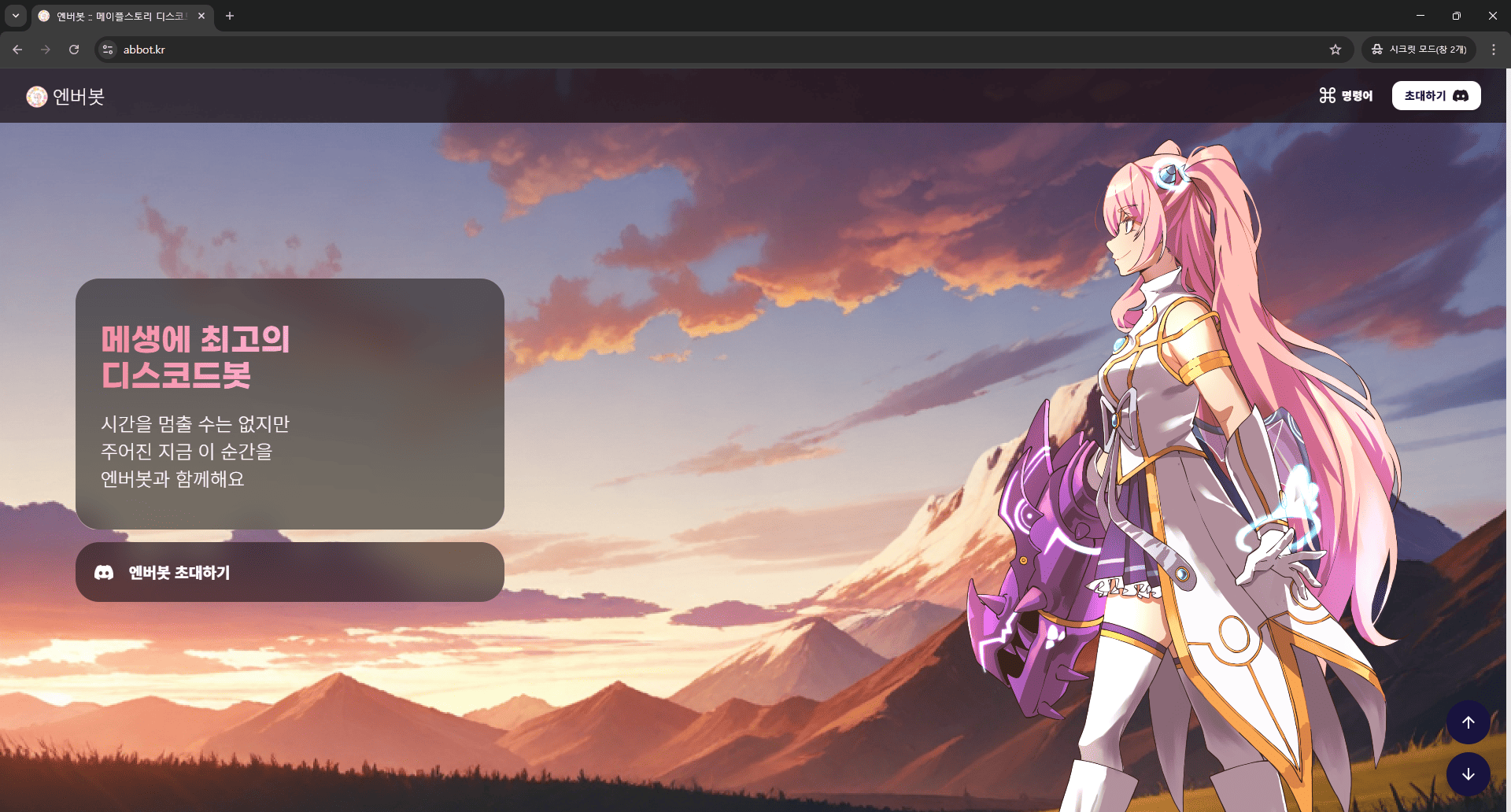
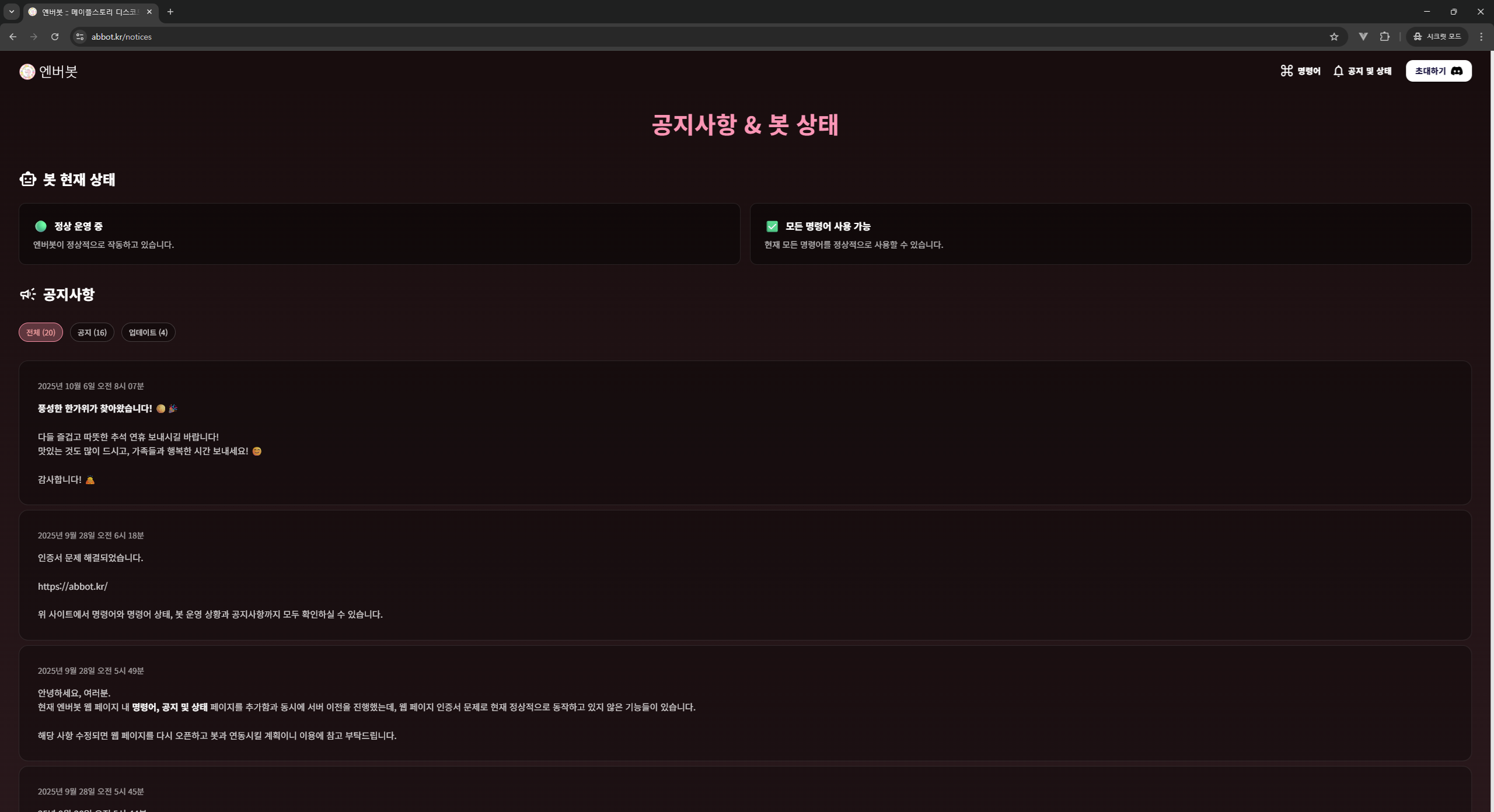
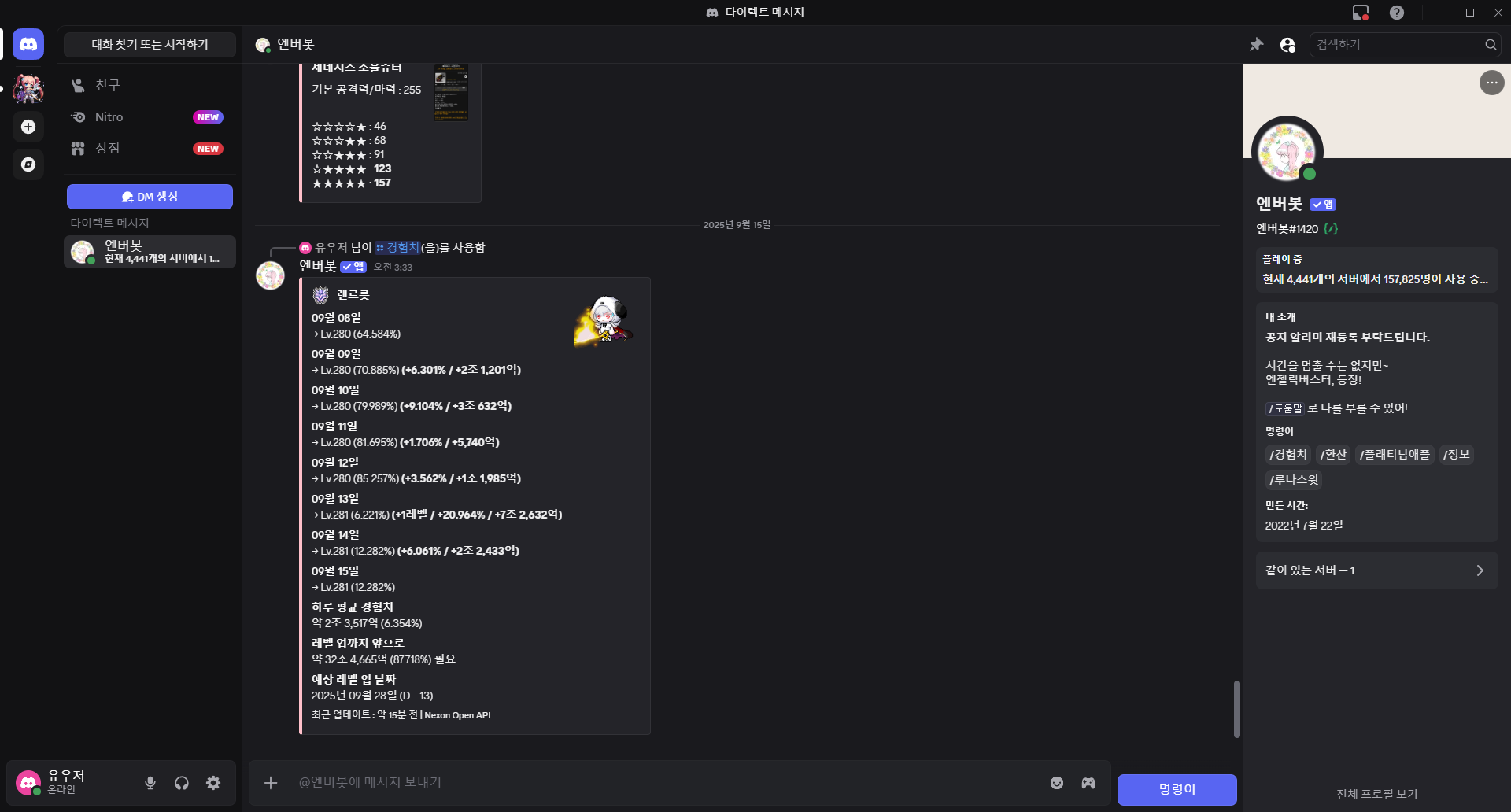
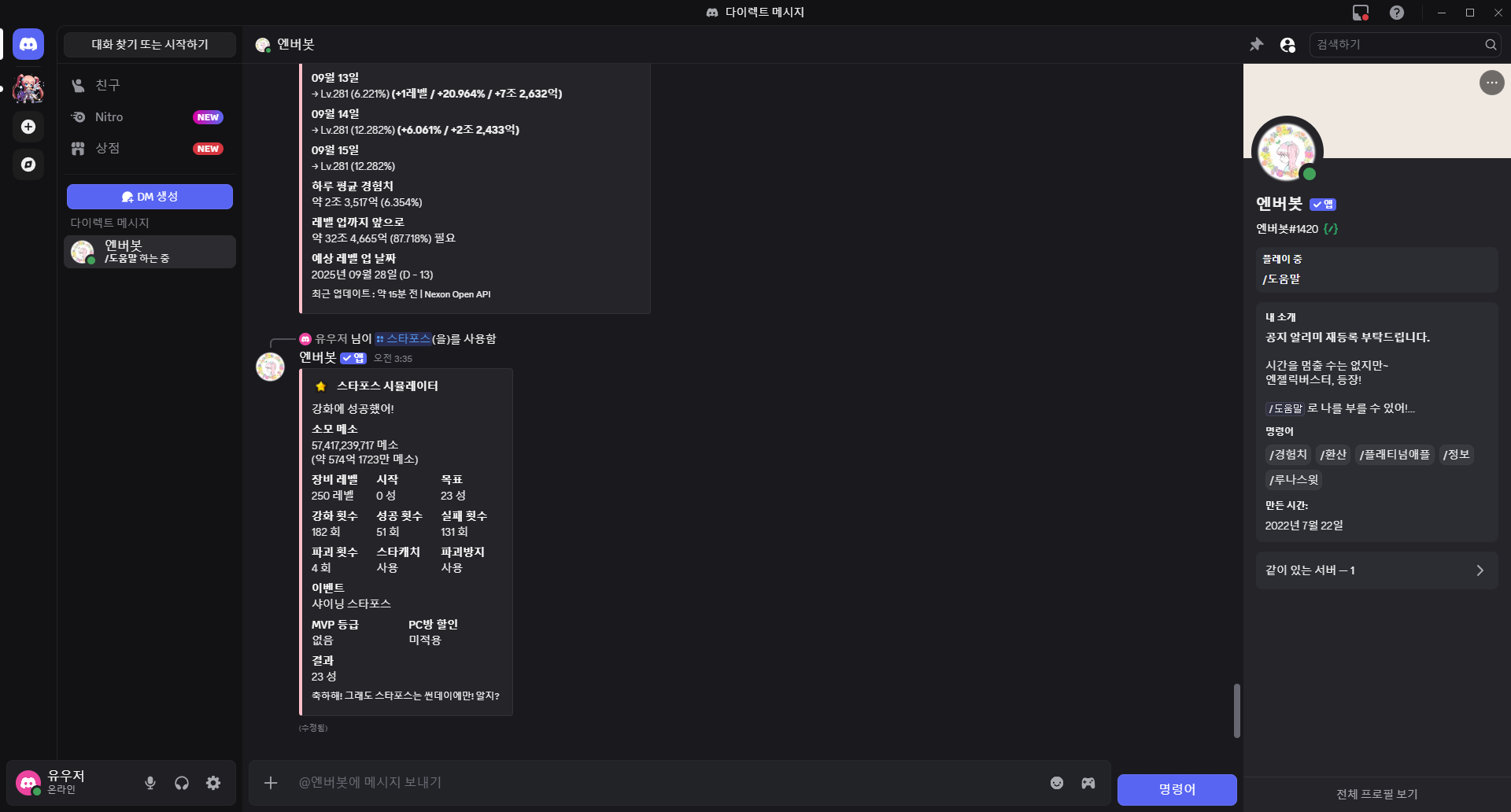
A Discord chatbot that provides MapleStory-related information to users. Utilizes Nexon Open API to deliver real-time game information, character search, and guild details. Has been in service for approximately 4 years, currently used across about 5,300 servers (about 190,000 total members).
1-Person Development
Chatbot and website development Operations and maintenance
// 스레드풀 크기별 채널 분할하여 병렬 처리
int threadPoolSize = MESSAGE_THREAD_POOL_SIZE;
int channelsPerThread = (int) Math.ceil((double) activeChannelInfos.size() / threadPoolSize);

// 각 채널별 완료 추적을 위한 카운터
CountDownLatch messageCompletionLatch = new CountDownLatch(activeChannelInfos.size());

// 채널을 스레드별로 분할하여 병렬 처리
for (int i = 0; i < activeChannelInfos.size(); i += channelsPerThread) {
    final List<ChannelInfo> channelShard = activeChannelInfos.subList(startIndex, endIndex);

    messageExecutor.submit(() -> {
        // 이 샤드의 채널들에 순차 전송
        for (ChannelInfo channelInfo : channelShard) {
            channel.sendMessageEmbeds(embed).queue(
                success -> messageCompletionLatch.countDown(),
                failure -> {
                    String failureReason = getFailureReason(failure);
                    // 에러 타입별 채널 상태 관리
                    messageCompletionLatch.countDown();
                }
            );
        }
    });
}// GetCharacterBasicAPI.java - API 호출 및 JSON 파싱
public static String[] getCharacterInfo(String name) {
// OCID 획득
String ocid = GetOcidAPI.getOcid(name);
if(ocid.equals("error")) return null;
// API 호출 및 데이터 파싱
String url = NexonOpenAPIConfig.base_url + "character/basic?ocid=" + ocid;
String jsonStr = fetchDataFromUrl(url);
if(jsonStr.equals("error")) {
return new String[] { "API is in Error" };
}
Gson gson = new Gson();
Map<String, Object> map = gson.fromJson(jsonStr, Map.class);
// 데이터 가공 및 반환
String worldImageUrl = worldImageUrlTable(map.get("world_name").toString());
String level = "Lv." + (int)(Double.parseDouble(map.get("character_level").toString()))
+ " (" + map.get("character_exp_rate").toString() + "%)";
String imageUrl = map.get("character_image").toString().replaceAll("https://", "http://");
return new String[] {worldImageUrl, level, job, popular, guild, updated, userName, imageUrl, ocid};
}
private static String fetchDataFromUrl(String url) {
try {
Document doc = Jsoup.connect(url)
.header("x-nxopen-api-key", NexonOpenAPIConfig.API_KEY)
.ignoreContentType(true).get();
return doc.select("body").text();
} catch (Exception e) {
System.out.println("ERROR :: " + url);
e.printStackTrace();
return "error";
}
}// BigDecimal을 사용한 정밀 경험치 계산
private static String upExpCalc(int sLevel, int eLevel, double sPercent, double ePercent) {
BigDecimal exp = new BigDecimal(0);
for(int i = sLevel; i <= eLevel; i++) {
if(i == sLevel) {
BigDecimal tmp = ExpTables.calcExpPercentToDecimal(sLevel,
(Math.round((100.0 - sPercent) * 1000) / 1000.0));
exp = exp.add(tmp);
} else if(i == eLevel) {
BigDecimal tmp = ExpTables.calcExpPercentToDecimal(eLevel,
(Math.round(ePercent * 1000) / 1000.0));
exp = exp.add(tmp);
} else {
exp = exp.add(ExpTables.expTable()[i - 200]);
}
}
return exp.setScale(0, RoundingMode.HALF_UP).toString();
}// 슬래시 커맨드 처리 - 스타포스 시뮬레이터
if(e.getName().equals("스타포스")) {
e.deferReply().queue();
// 파라미터 검증
if(option1 == null || option2 == null || /* ... 기타 옵션들 */) {
e.getHook().sendMessageEmbeds(mapleUserTypingFail()).queue();
return;
}
// 즉시 대기 메시지 전송 후 백그라운드 처리
e.getHook().sendMessageEmbeds(mapleStarForceSimulatorWaiting()).queue(hook -> {
mapleStarForceSimulatorThreading(level, start, end, starCatch, retry,
preventDestroy, mvpGrade, isPCRoom, eventType, e, hook);
System.out.println("Waiting Message Send Success :: " + Main.getNowTimeOnly());
});
}
// 비동기 시뮬레이션 처리
void mapleStarForceSimulatorThreading(@params) {
new Timer().schedule(new TimerTask() {
@Override
public void run() {
try {
e.getHook().editMessageEmbedsById(hook.getId(),
mapleNewStarForceSimulator(level, start, end, starCatch, retry,
preventDestroy, eventType, mvpGrade, isPCRoom)).queue();
} catch (Exception ex) {
e.getHook().editMessageEmbedsById(hook.getId(),
mapleStarForceSimulatorFailed()).queue();
ex.printStackTrace();
}
}
}, 0);
}// 스타포스 시뮬레이션 결과 임베드 생성
MessageEmbed mapleNewStarForceSimulator(@params) {
MapleNewStarForceSimulator mscs = new MapleNewStarForceSimulator(level, start, end,
starCatch, retry, preventDestroy, eventType, mvpGrade, isPCRoom);
maple.MapleNewStarForceSimulator.ReturnNode n = mscs.calculate();
if (n.getCount() == -1) {
return mapleStarForceSimulatorErrorMessage();
}
EmbedBuilder eb = new EmbedBuilder();
eb.setAuthor("스타포스 시뮬레이터");
eb.setColor(new Color(255, 192, 203));
// 이벤트별 상세 정보 처리
String eventTypeText = getEventTypeText(eventType);
String mvpGradeText = getMvpGradeText(mvpGrade);
if ((n.getDestroyed() == 1) && !retry) {
eb.setDescription("아쉽지만 아이템이 파괴되었어.");
eb.addField("파괴 전 마지막 스타포스", n.getEnd() + " 성", false);
} else {
eb.setDescription("강화에 성공했어!");
eb.addField("결과", n.getEnd() + " 성", false);
}
// 상세 통계 정보 추가
eb.addField("소모 메소", mesoFormatWithUnit(n.getMeso()), false);
eb.addField("강화 횟수", mesoFormat(n.getCount()) + " 회", true);
eb.addField("성공 횟수", mesoFormat(n.getSuccess()) + " 회", true);
eb.addField("실패 횟수", mesoFormat(n.getFail()) + " 회", true);
eb.addField("파괴 횟수", mesoFormat(n.getDestroyed()) + " 회", true);
return eb.build();
}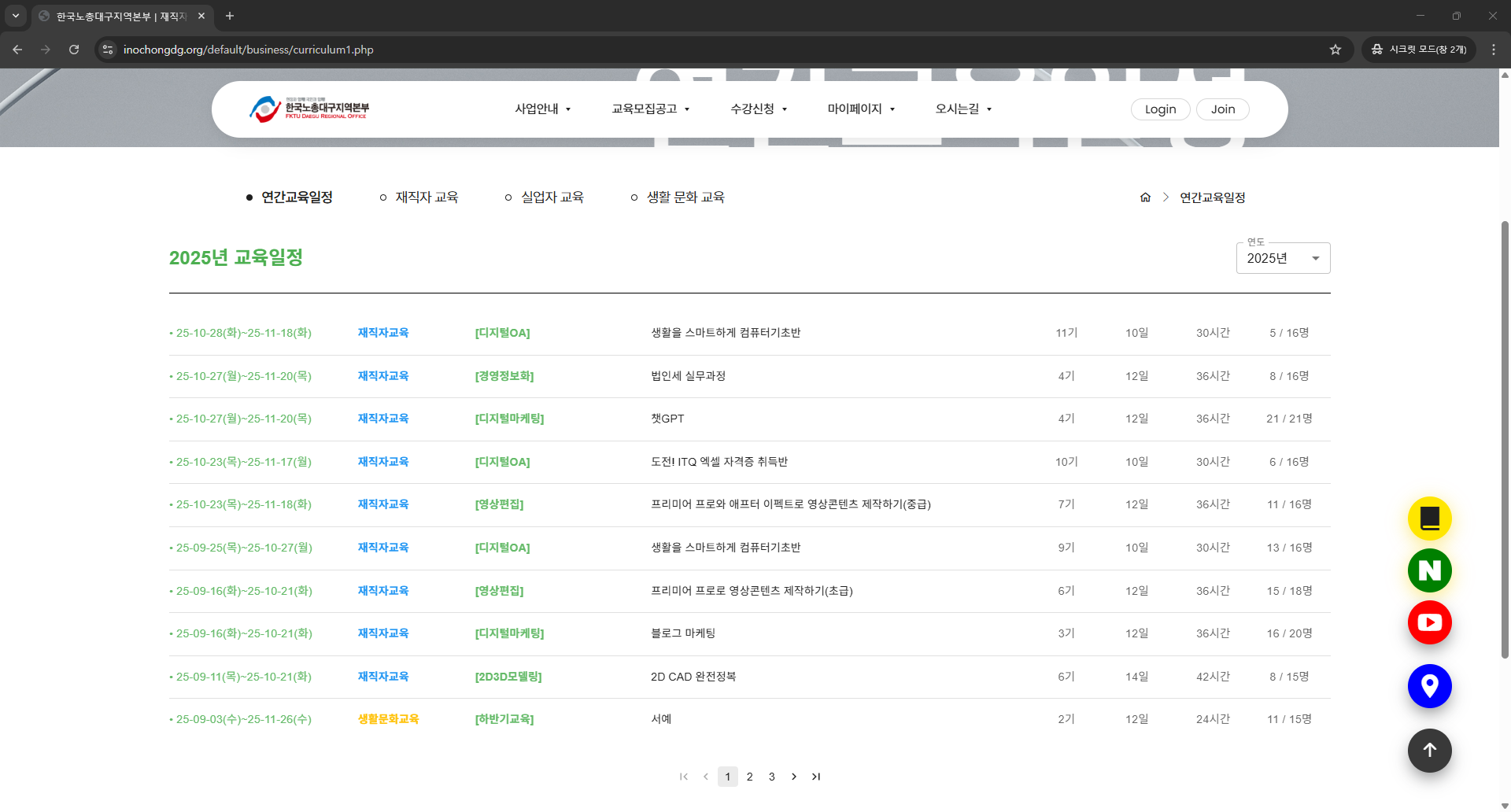
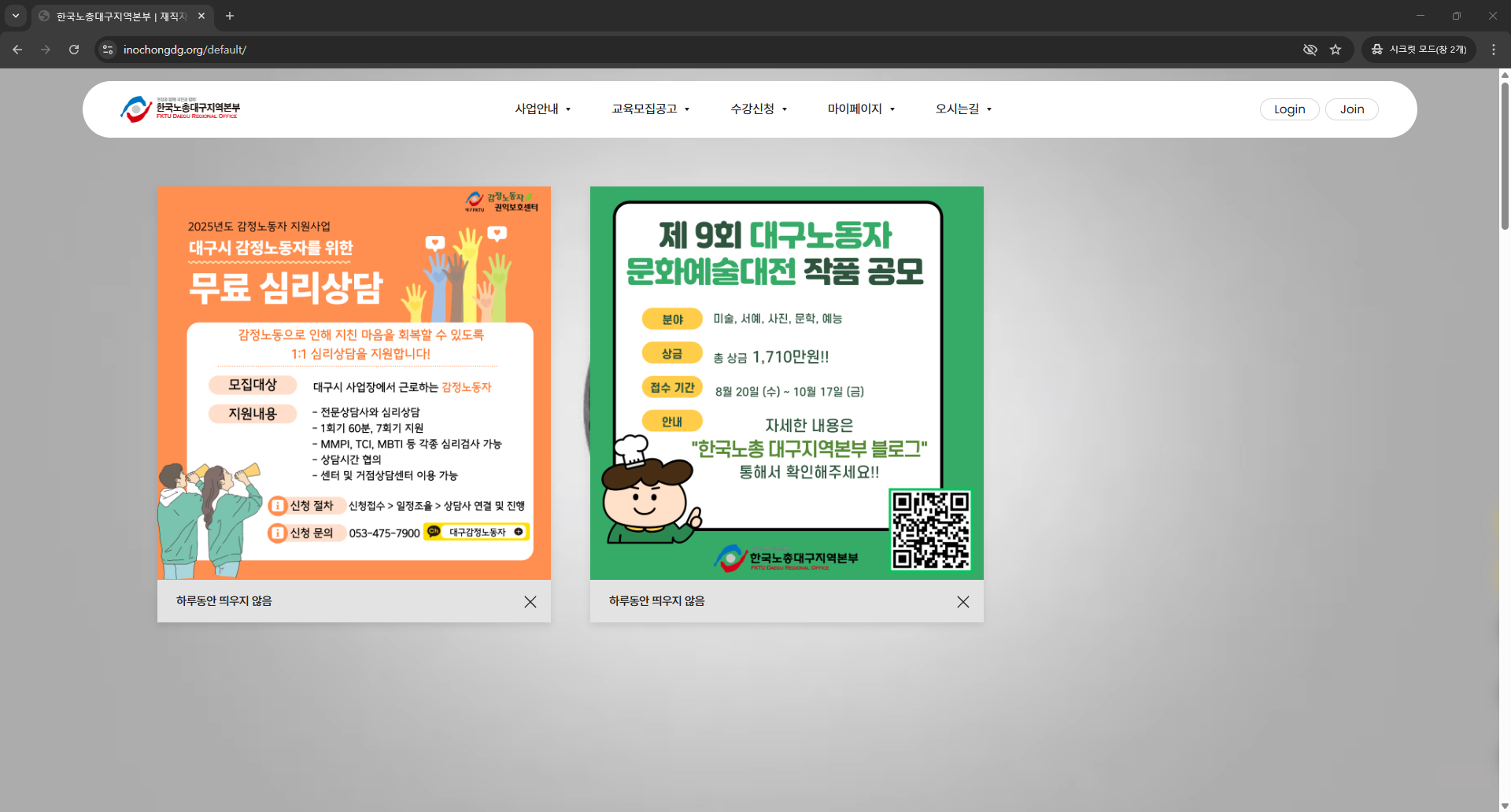
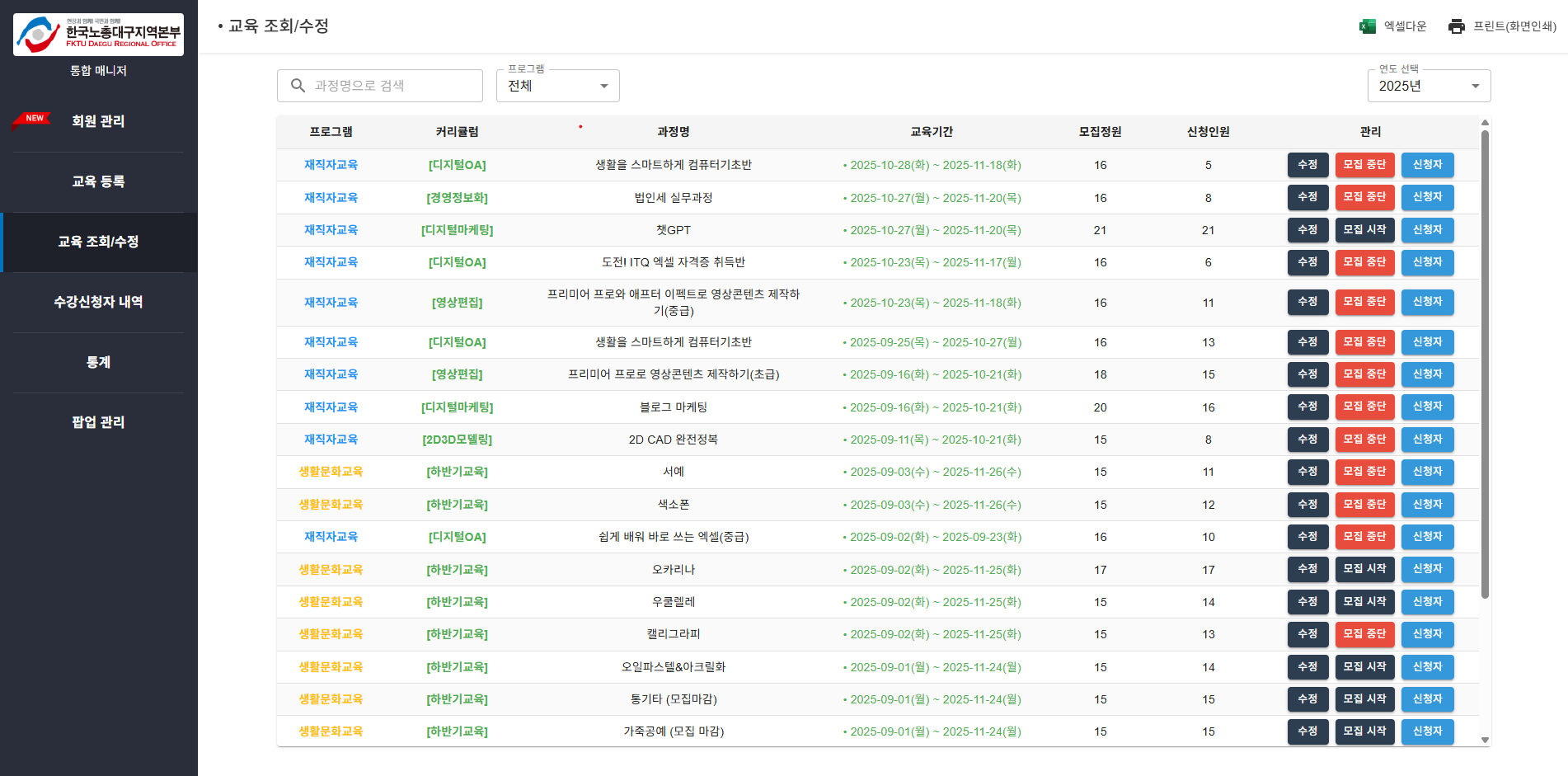
Official website for the Daegu branch of the Federation of Korean Trade Unions. Mainly focused on course registration functionality, handled overall website development as commissioned work. Key development features included full frontend and backend development of the course registration system and admin system.
1-Person Development
Project design Frontend development Backend development
// 숫자만 입력 가능하도록 하는 함수 (생년월일, 전화번호)
const handleNumericInput = (e, fieldName, maxLength, nextFieldRef) => {
    const { value } = e.target;
    const numericValue = value.replace(/[^0-9]/g, "");

    setFormData((prevState) => ({
        ...prevState,
        [fieldName]: numericValue,
    }));

    // 최대 길이에 도달하면 다음 필드로 포커스 이동
    if (numericValue.length === maxLength && nextFieldRef && nextFieldRef.current) {
        nextFieldRef.current.focus();
    }
};

// 폼 유효성 검사
const validateForm = () => {
    const newErrors = {};

    // 차량번호 검증 (특별 처리)
    if (formData.carNumber && formData.carNumber.trim() === "없음") {
        // "없음"은 유효한 값이므로 에러에서 제거
        if (newErrors.carNumber) delete newErrors.carNumber;
    } else if (formData.carNumber && formData.carNumber.trim() !== "") {
        const carNumberRegex = /^[\d]{2,3}[가-힣]{1}[\d]{4}$/;
        if (!carNumberRegex.test(formData.carNumber.replace(/\s+/g, ""))) {
            newErrors.carNumber = "올바른 차량번호 형식이 아닙니다. (예: 12가1234)";
        }
    }

    return newErrors;
};// 상태 우선순위 매핑으로 정렬 최적화
const STATUS_PRIORITY = {
enrolled: 1, // 승인대기
approved: 2, // 승인완료
canceled: 3, // 승인취소
complete: 4 // 과정수료
};
// 필터링된 데이터 정렬
const filteredEnrollments = enrollments
.filter((item) => {
const nameMatch = enrollmentRequest.applicant_name
.toLowerCase().includes(nameFilter.toLowerCase());
const statusMatch = statusFilter === "all" ||
enrollment.status === getStatusCodeFromFilter(statusFilter);
const targetAudienceMatch = targetAudienceFilter === "all" ||
courseSummary.target_audience === targetAudienceFilter;
return nameMatch && statusMatch && targetAudienceMatch;
})
.sort((a, b) => {
// 상태 우선순위에 따라 정렬
const statusPriorityA = STATUS_PRIORITY[a.enrollment.status] || 999;
const statusPriorityB = STATUS_PRIORITY[b.enrollment.status] || 999;
if (statusPriorityA !== statusPriorityB) {
return statusPriorityA - statusPriorityB;
}
// 같은 상태면 강의 시작일 기준 정렬
return new Date(a.course_summary.start_date) - new Date(b.course_summary.start_date);
});StockTalk
2023.09 - 2023.12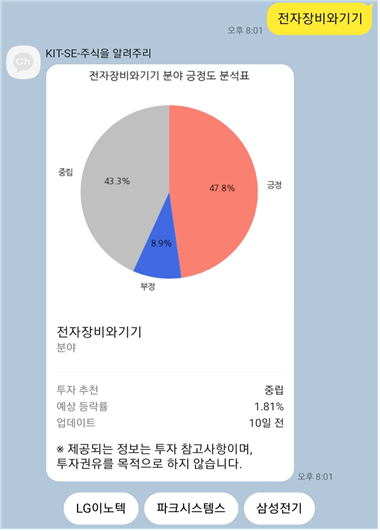
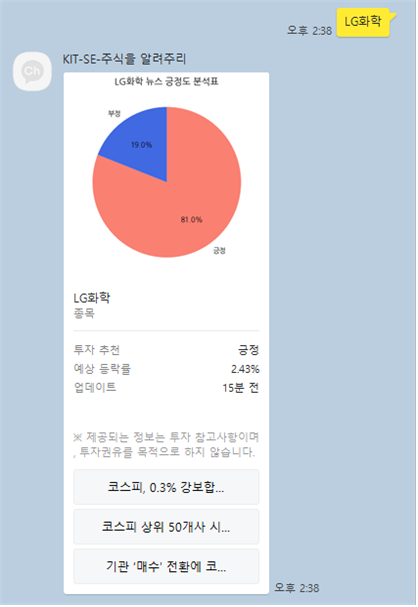
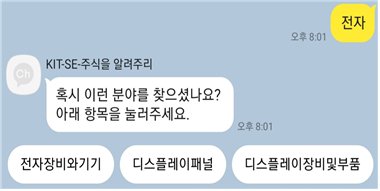
An AI-powered KakaoTalk chatbot that predicts daily closing price fluctuations compared to the previous day's closing price using hourly news articles and stock price movements. Implemented with a Python Flask server connected to Kakao i OpenBuilder to analyze user speech intent for more precise operations. Dynamically generates graph images based on AI-generated results and attaches them to custom-designed KakaoTalk messages for seamless user experience.
Team of 4
Scenario and skill creation in Kakao i OpenBuilder Implementation of a Flask-based chatbot server and content download server for chatbot communication Implemented entity recognition and similarity analysis for stock sectors and tickers Dynamic graph generation and KakaoTalk message design Crawled over 200,000 stock news articles covering 8 months across all domestic tickers using multithreading
@app.route('/api/message', methods=['POST'])
def message():
    content = request.get_json()
    user_input = content['userRequest']['utterance'].replace("\n", "")

    # 의도 파악
    intention_predict = intention_understanding_instance.intentionPrediction(user_input)
    intention_correct = intention_predict in [3, 4, 6]

    if not intention_correct:
        return jsonify(makeMessage(data=None, type=4))

    # 단어 대체 및 예외 처리
    user_input = alterWords(user_input.replace(" ", "").strip())
    exception_type, exception_word = findException(user_input.replace(" ", "").upper().strip())

    # 종목명 및 분야 체크
    if exception_type == -1:
        found_word = checker.check_words(user_input.replace(" ","").upper())
        if found_word is not None:
            try:
                # 분야 데이터 처리
                messageData, stock_count = findSectorData(found_word)
                return jsonify(makeMessage(data=messageData, type=2, count=stock_count))
            except:
                # 종목 데이터 처리
                messageData, news_count = findStockData(found_word)
                return jsonify(makeMessage(data=messageData, type=1, count=news_count))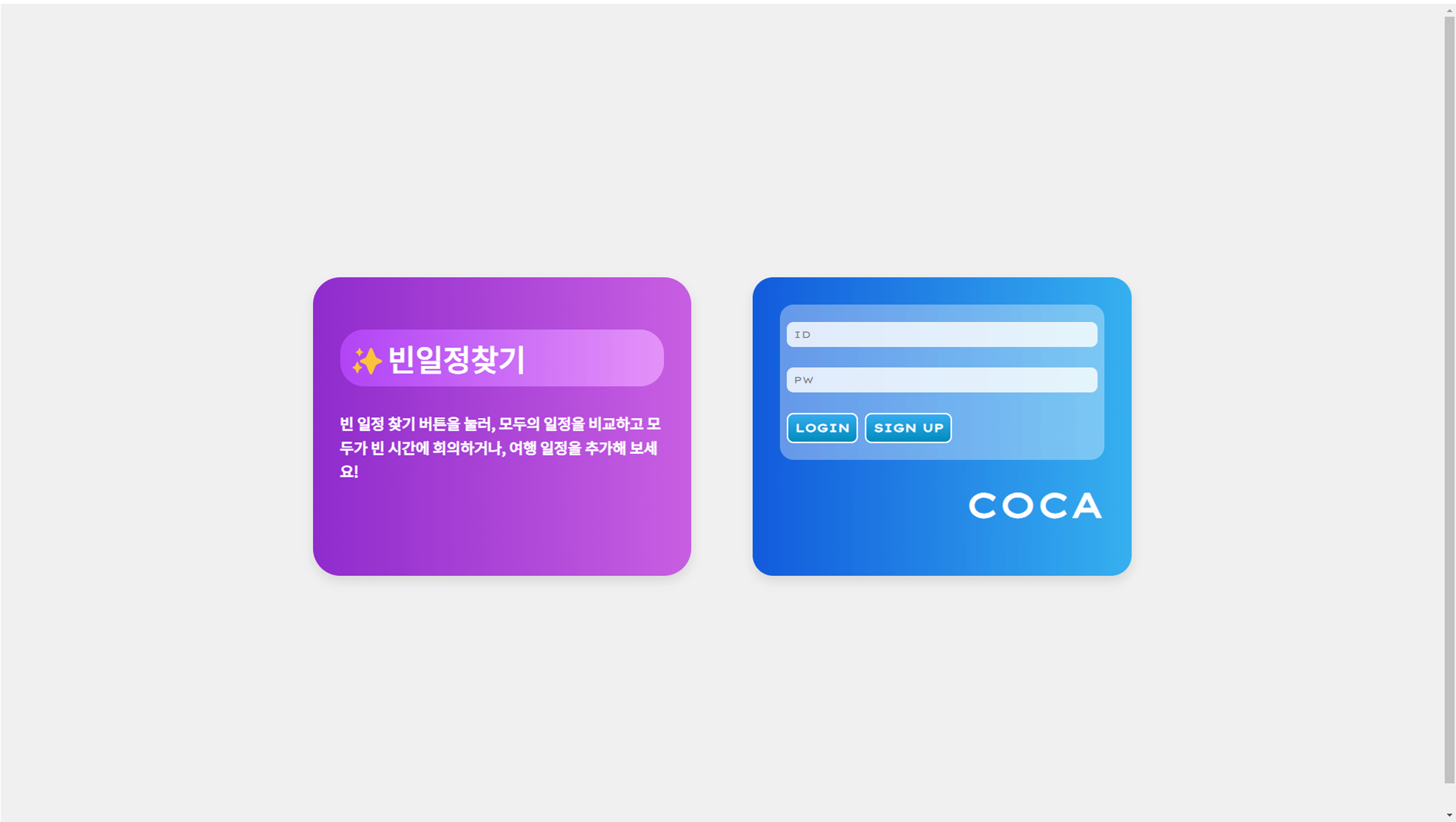
+1
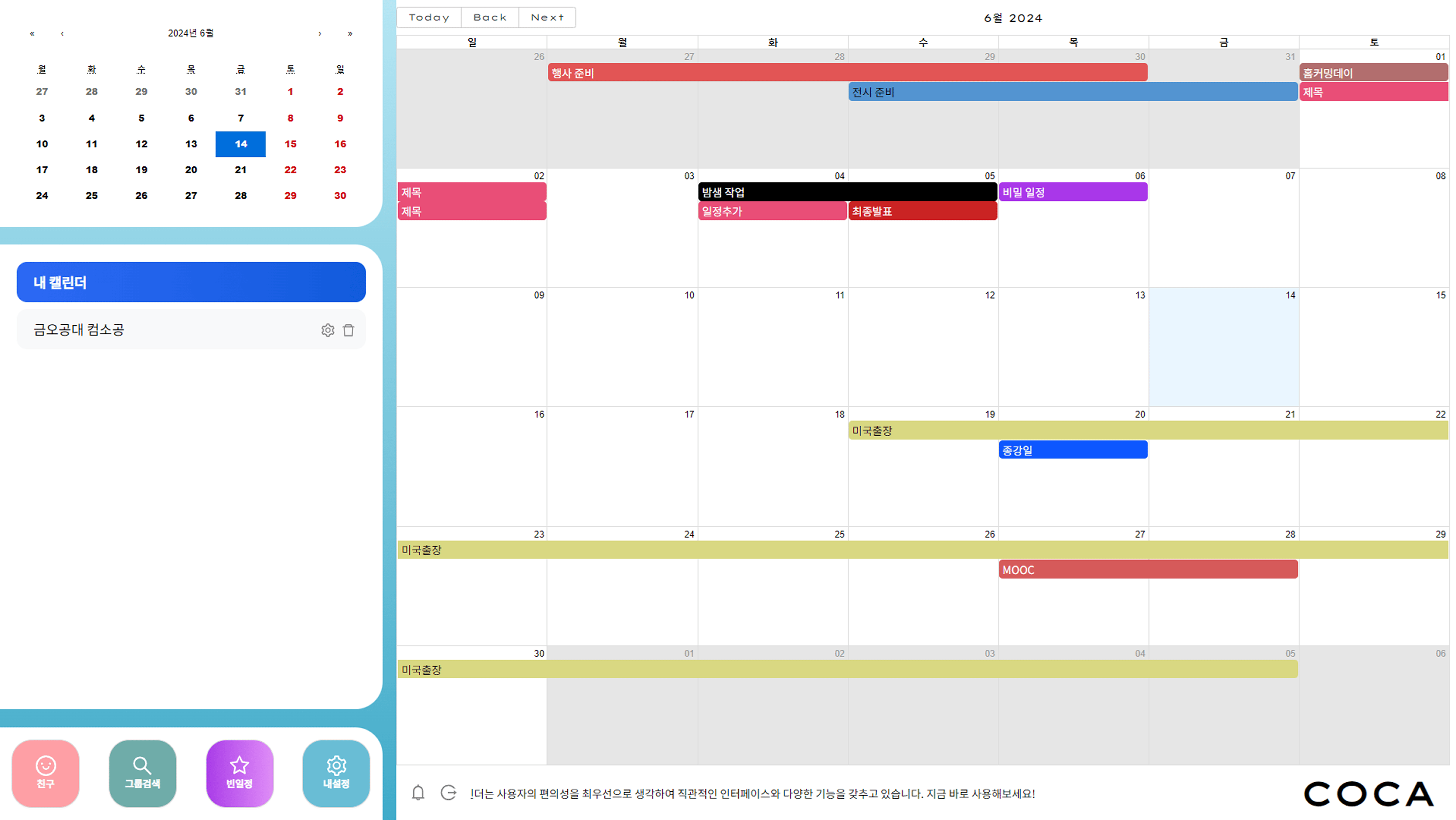
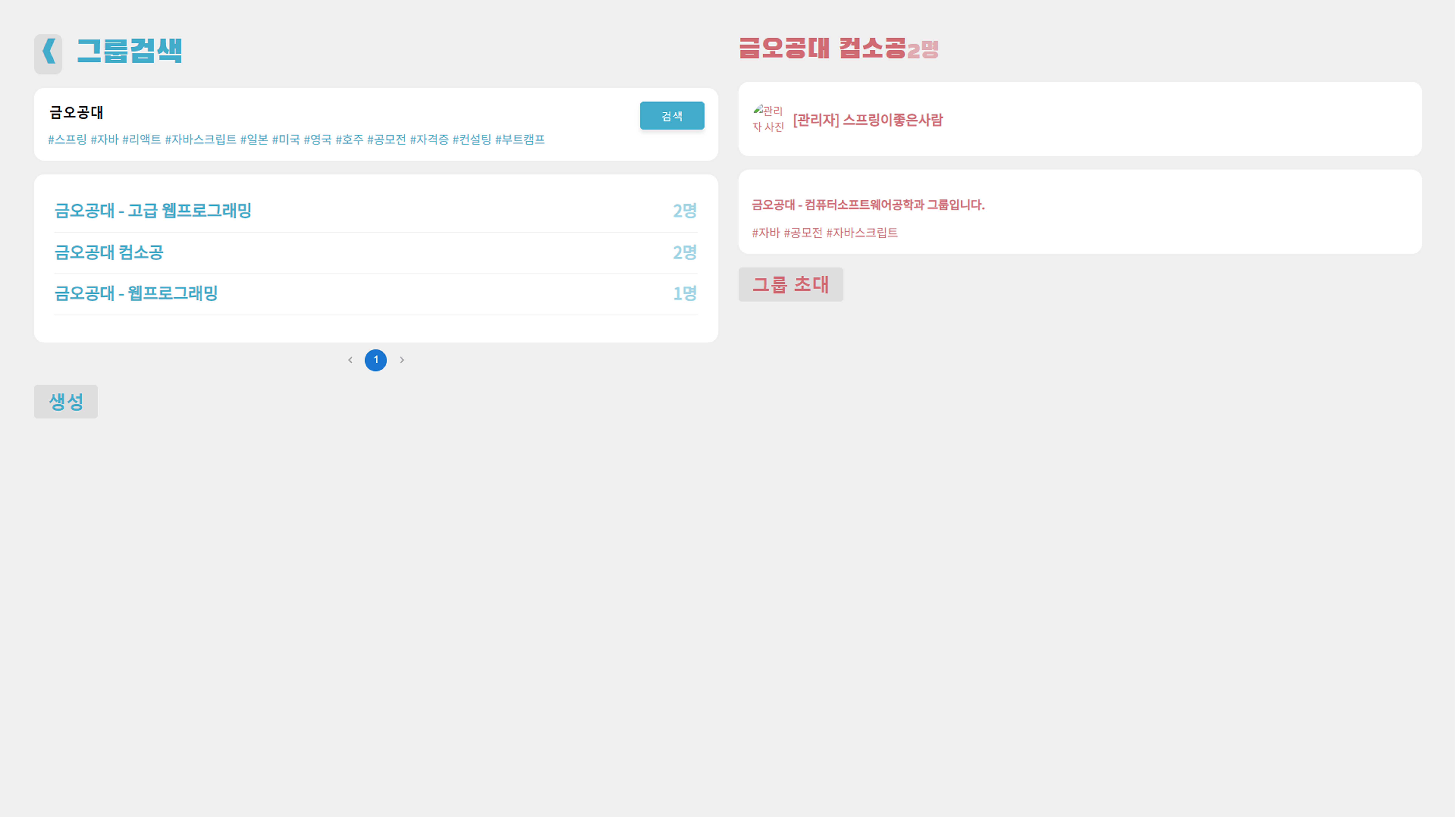
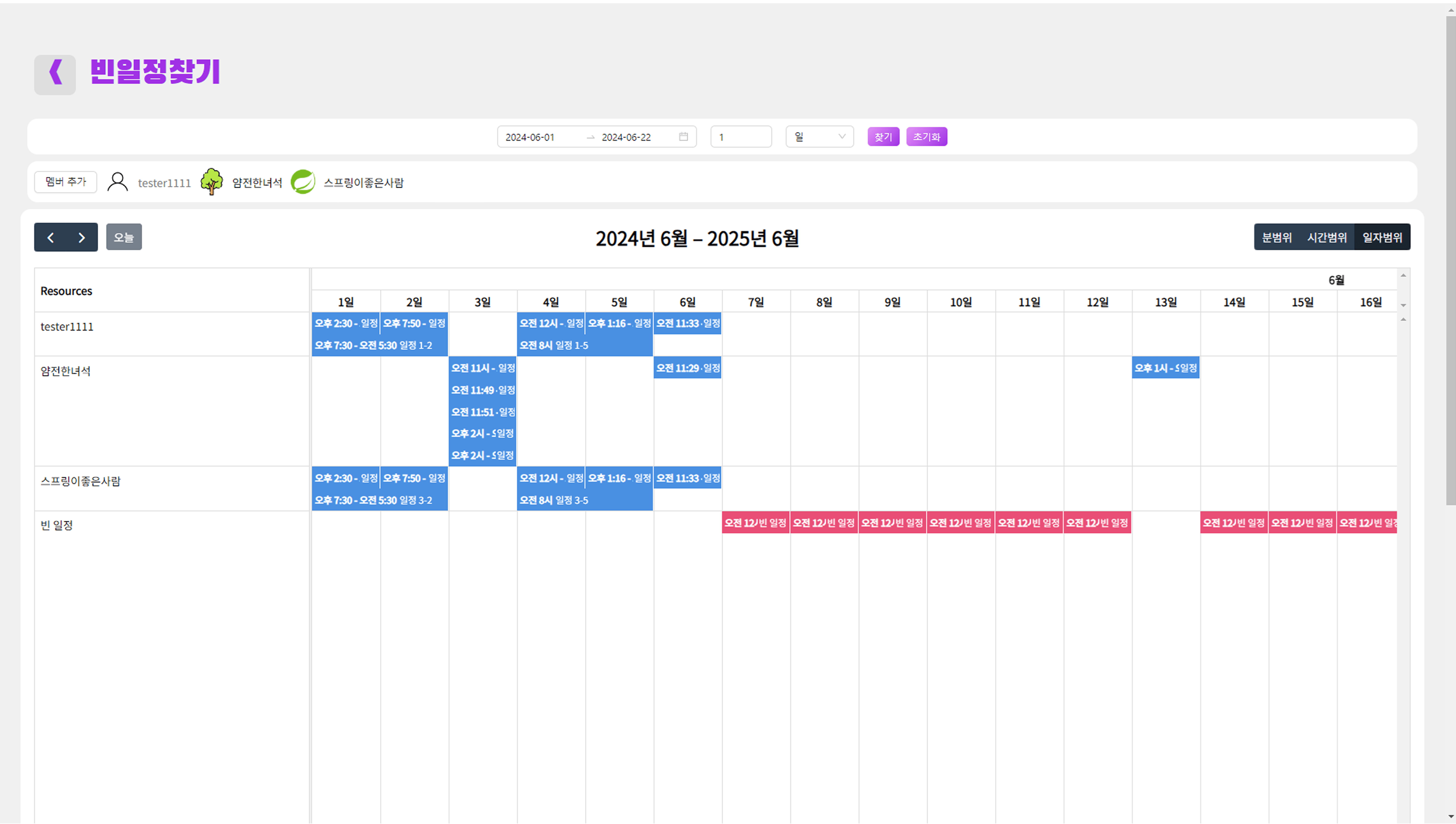
A community-based collaborative calendar that helps manage group and personal schedules and finds available time slots among group members. Designed and implemented an intuitive UI to create a user-friendly service. Utilized both brute-force and interval merging algorithms appropriately to find available time slots as quickly as possible.
Team of 4
Frontend UI implementation Implemented frontend Axios communication, data rendering, and session management Implemented an available-time search algorithm using brute force and interval merging Backend CORS management and partial controller implementation
private List<CommonSchedule> interval(LocalDateTime startTime, LocalDateTime endTime,
                                    int duration, List<String> members) {
    List<Interval> combined = new ArrayList<>();
    final int timeSlot = 10;

    // 모든 멤버의 일정을 수집
    for (String memberId : members) {
        List<PersonalSchedule> personalSchedules =
            personalScheduleRepository.findPersonalScheduleByDateRange(memberId, startTime, endTime);

        if (personalSchedules != null && personalSchedules.size() > 0) {
            for (PersonalSchedule schedule : personalSchedules) {
                combined.add(new Interval(schedule.getStartTime(), schedule.getEndTime()));
            }
        }
    }

    // 인터벌 병합으로 중복 제거 및 최적화
    List<Interval> mergeSchedule = IntervalMerge.intervalMerge(combined);
    Collections.sort(mergeSchedule, Comparator.comparing(Interval::getStart));

    // 빈 시간 계산
    List<CommonSchedule> resultSchedule = new ArrayList<>();
    LocalDateTime current = startTime;

    for (Interval interval : mergeSchedule) {
        while (current.plusMinutes(duration).isBefore(interval.getStart()) ||
               current.plusMinutes(duration).isEqual(interval.getStart())) {
            resultSchedule.add(new CommonSchedule(current, current.plusMinutes(duration)));
            current = current.plusMinutes(timeSlot);
        }

        if (current.isBefore(interval.getEnd())) {
            current = interval.getEnd();
        }
    }

    return resultSchedule;
}// JWT 토큰 자동 갱신 처리
const getGroupList = async (id, navigate) => {
try {
const config = {
headers: {
Authorization: `Bearer ${accessToken}`,
},
};
const res = await axios.get(
process.env.REACT_APP_SERVER_URL + `/api/calendar/member/${id}`,
config
);
if (res.data.code === 200) {
return res.data.data;
} else if (res.data.code === 401 || res.data.data === null) {
// 토큰 만료 시 자동 갱신 후 재시도
await refreshAccessToken(navigate);
return getGroupList(id, navigate);
} else {
throw new Error("unknown Error");
}
} catch (error) {
console.error(error);
Swal.fire({
position: "center",
icon: "error",
title: "에러!",
text: "서버와의 통신에 문제가 생겼어요!",
showConfirmButton: false,
timer: 1500,
});
return [];
}
};// 페이지 이동 시 상태 유지
useEffect(() => {
// 로컬스토리지에서 이전 상태 복원
const savedState = localStorage.getItem('calendarState');
if (savedState) {
const parsedState = JSON.parse(savedState);
setSelectedDate(parsedState.selectedDate);
setViewMode(parsedState.viewMode);
}
}, []);
// 상태 변경 시 자동 저장
useEffect(() => {
const stateToSave = {
selectedDate,
viewMode,
currentGroup
};
localStorage.setItem('calendarState', JSON.stringify(stateToSave));
}, [selectedDate, viewMode, currentGroup]);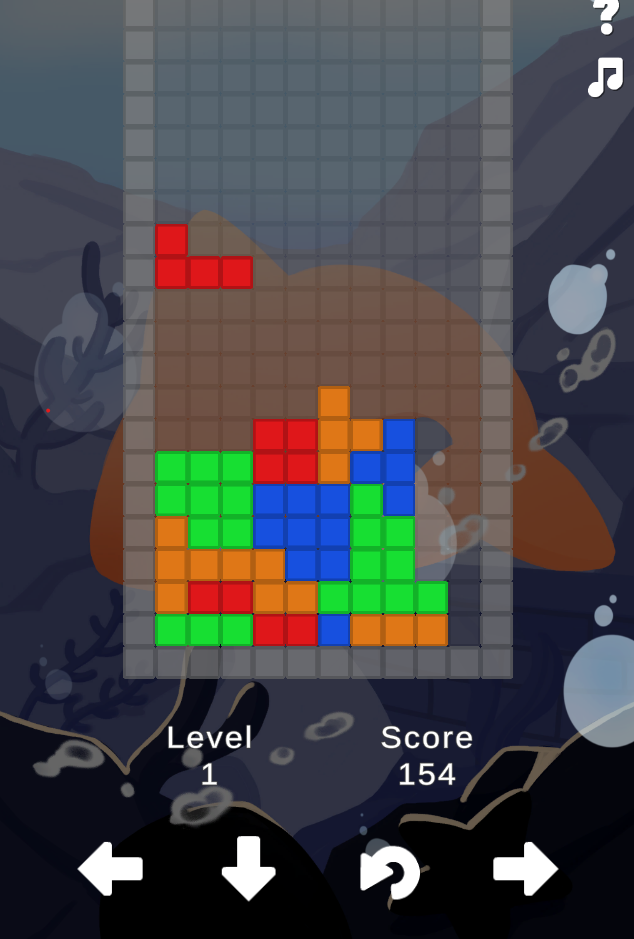
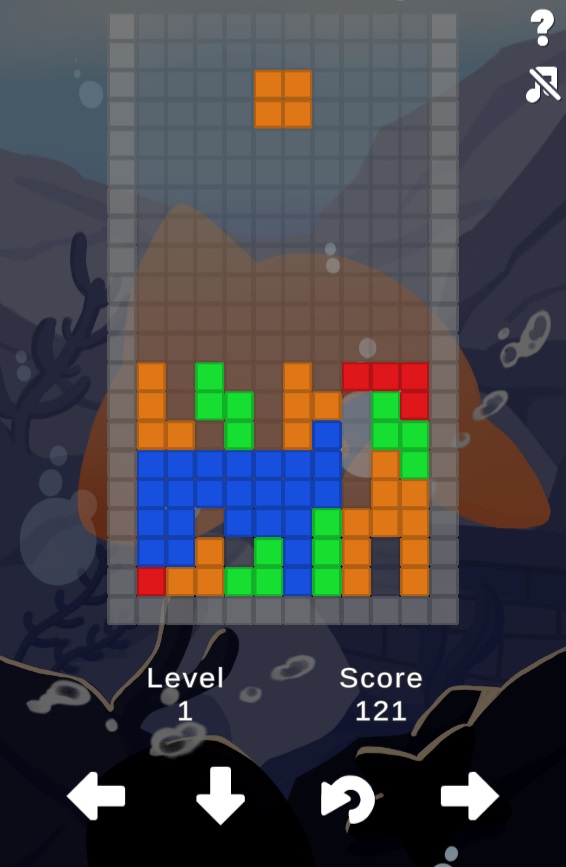
A fan game for the virtual group RE:REVOLUTION. Developed as a commissioned birthday fan game for a group member. Developed using Unity and built with WebGL to allow gameplay on the web. Added button UI for mobile environments in addition to PC to ensure playability across various platforms.
1-Person Development
End-to-end game development
// 테트로미노 이동 및 충돌 검사
bool MoveTetromino(Vector3 moveDir, bool isRotate)
{
    Vector3 oldPos = tetrominoNode.transform.position;
    Quaternion oldRot = tetrominoNode.transform.rotation;

    tetrominoNode.transform.position += moveDir;
    if (isRotate) {
        tetrominoNode.transform.rotation *= Quaternion.Euler(0, 0, 90);
    }

    if (!CanMoveTo(tetrominoNode)) {
        // 이동 불가능하면 원래 위치로 복구
        tetrominoNode.transform.position = oldPos;
        tetrominoNode.transform.rotation = oldRot;

        // 아래로 떨어지다가 막힌 경우 보드에 추가
        if ((int)moveDir.y == -1 && (int)moveDir.x == 0 && isRotate == false) {
            AddToBoard(tetrominoNode);
            CheckBoardColumn();
            CreateTetromino();

            // 게임 오버 체크
            if (!CanMoveTo(tetrominoNode)) {
                gameOverPanel.SetActive(true);
            }
        }
        return false;
    }
    return true;
}

// 동적 난이도 조절 시스템
float FallCycleTable()
{
    switch (levelInt) {
        case 1: return isEasyMode ? 2.0f : 1.0f;
        case 2: return isEasyMode ? 1.8f : 0.9f;
        // ... 레벨별 속도 조절
        default: return 0.001f;
    }
}
Onyurun
2023.01 - 2023.08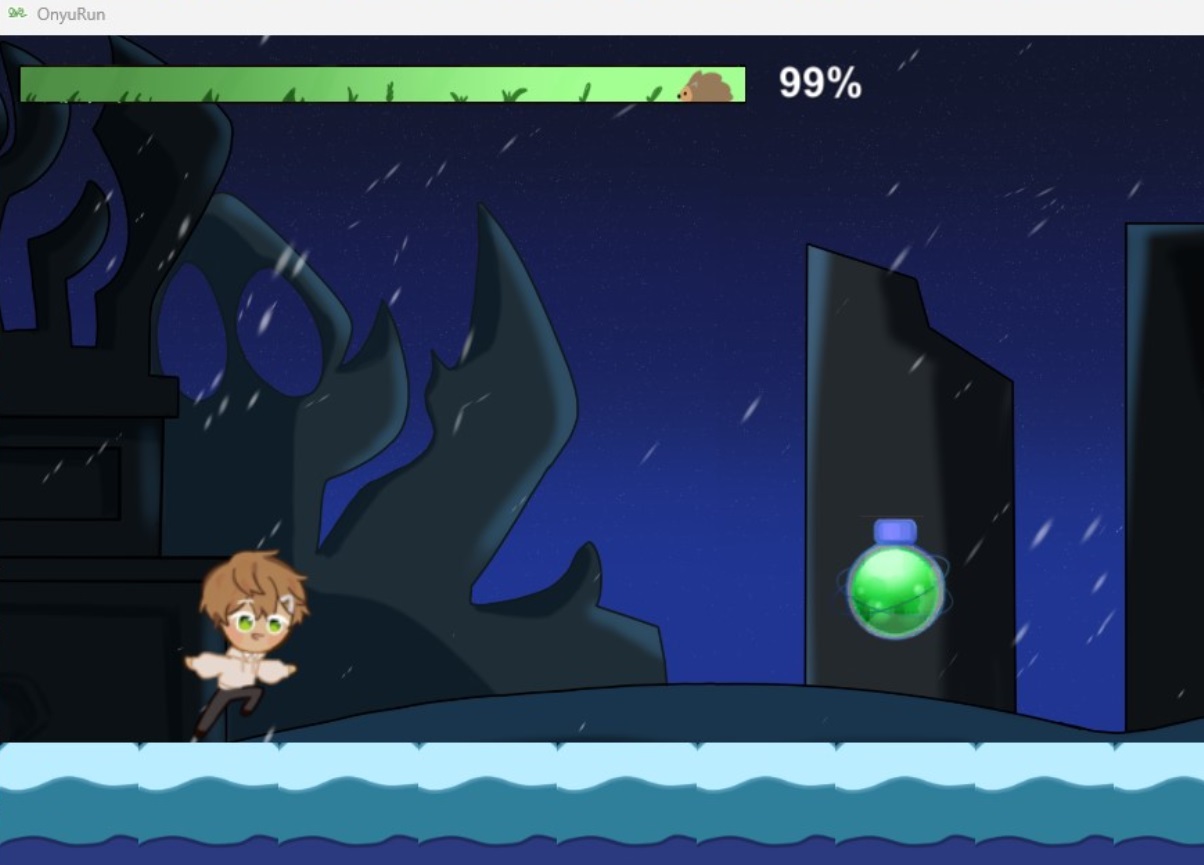
A fan game for the virtual group RE:REVOLUTION. Developed as a commissioned birthday fan game for a group member. A Cookie Run-style 2D side-scrolling runner game developed using Unity.
1-Person Development
End-to-end game development Level design Game balancing
// GameManager.cs - 게임 상태 관리
public class GameManager : MonoBehaviour
{
    private static GameManager _instance;
    private bool gameOver = false;
    private int stage = 0;
    private bool isStageChanged = false;

    public static GameManager Instance
    {
        get
        {
            if (_instance == null)
            {
                _instance = FindObjectOfType(typeof(GameManager)) as GameManager;
            }
            return _instance;
        }
    }

    // 게임 상태 프로퍼티들
    public bool GameOver { get; set; }
    public int Stage { get; set; }
    public bool IsStageChanged { get; set; }
}// PatternManager.cs - 패턴 기반 장애물 생성
void Update()
{
switch (GameManager.Instance.Stage)
{
case 0: min = 0; max = 4; break;
case 1: min = 5; max = 9; break;
case 2: min = 10; max = 13; break;
}
if (GameManager.Instance.IsLandDestroyed)
{
if (GameManager.Instance.IsStageChanged)
{
// 스테이지별 시작 패턴 생성
switch (GameManager.Instance.Stage)
{
case 0:
GameObject newPattern1 = Instantiate(startPattern1,
new Vector3(18f, 0.1f, 0), Quaternion.identity);
break;
// ... 다른 스테이지들
}
}
else
{
// 랜덤 패턴 생성
GameObject newPattern = Instantiate(
patternList[Random.Range(min, max)],
new Vector3(18f, 0.1f, 0), Quaternion.identity);
}
GameManager.Instance.IsLandDestroyed = false;
}
}// ScrollController.cs - 백그라운드 무한 스크롤
void Update()
{
if (!GameManager.Instance.GameOver)
{
transform.Translate(-mapSpeed * Time.deltaTime, 0, 0);
if (transform.position.x < ifposX)
{
transform.Translate(posX, 0, 0); // 위치 리셋으로 무한 스크롤
}
}
}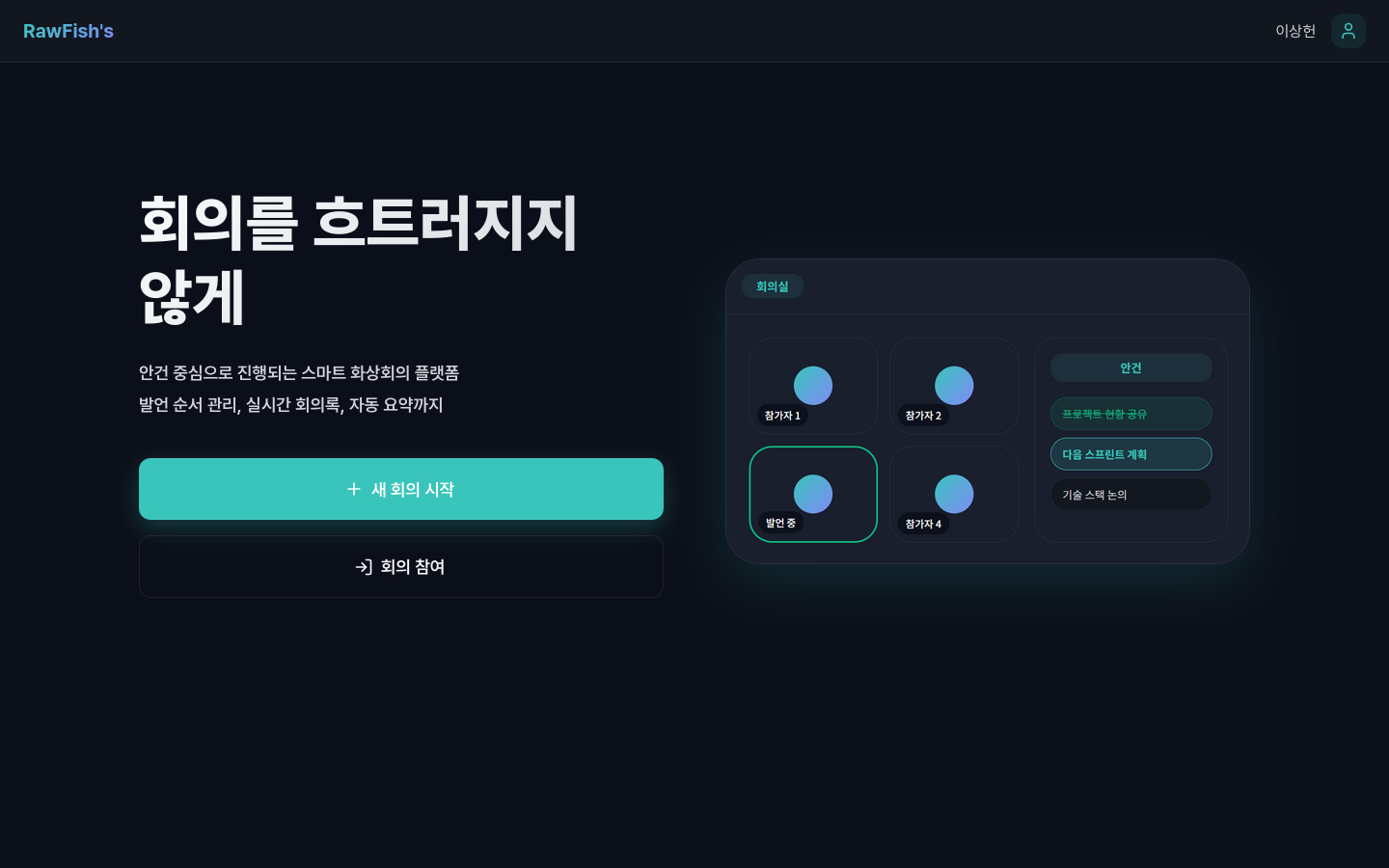
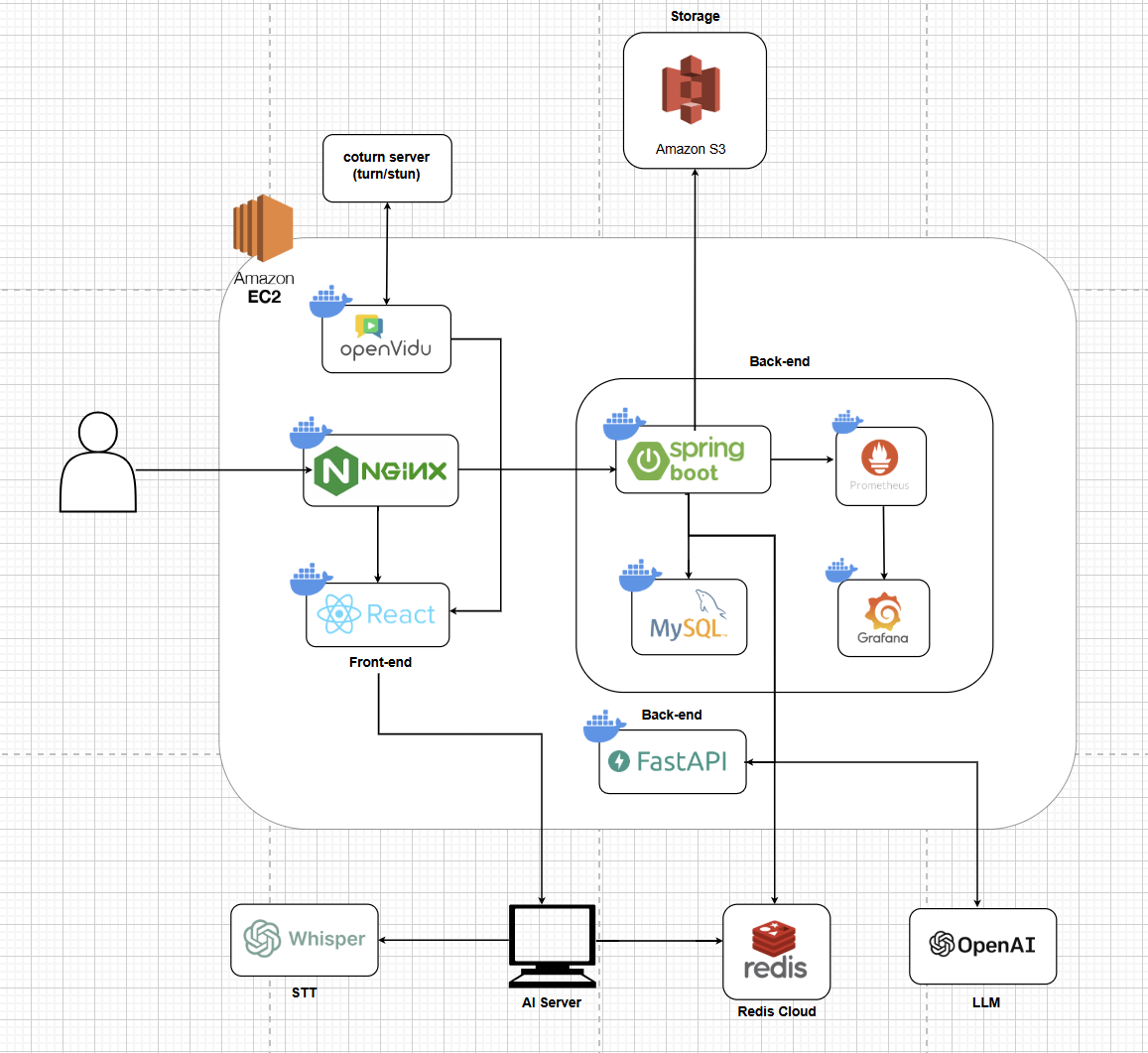
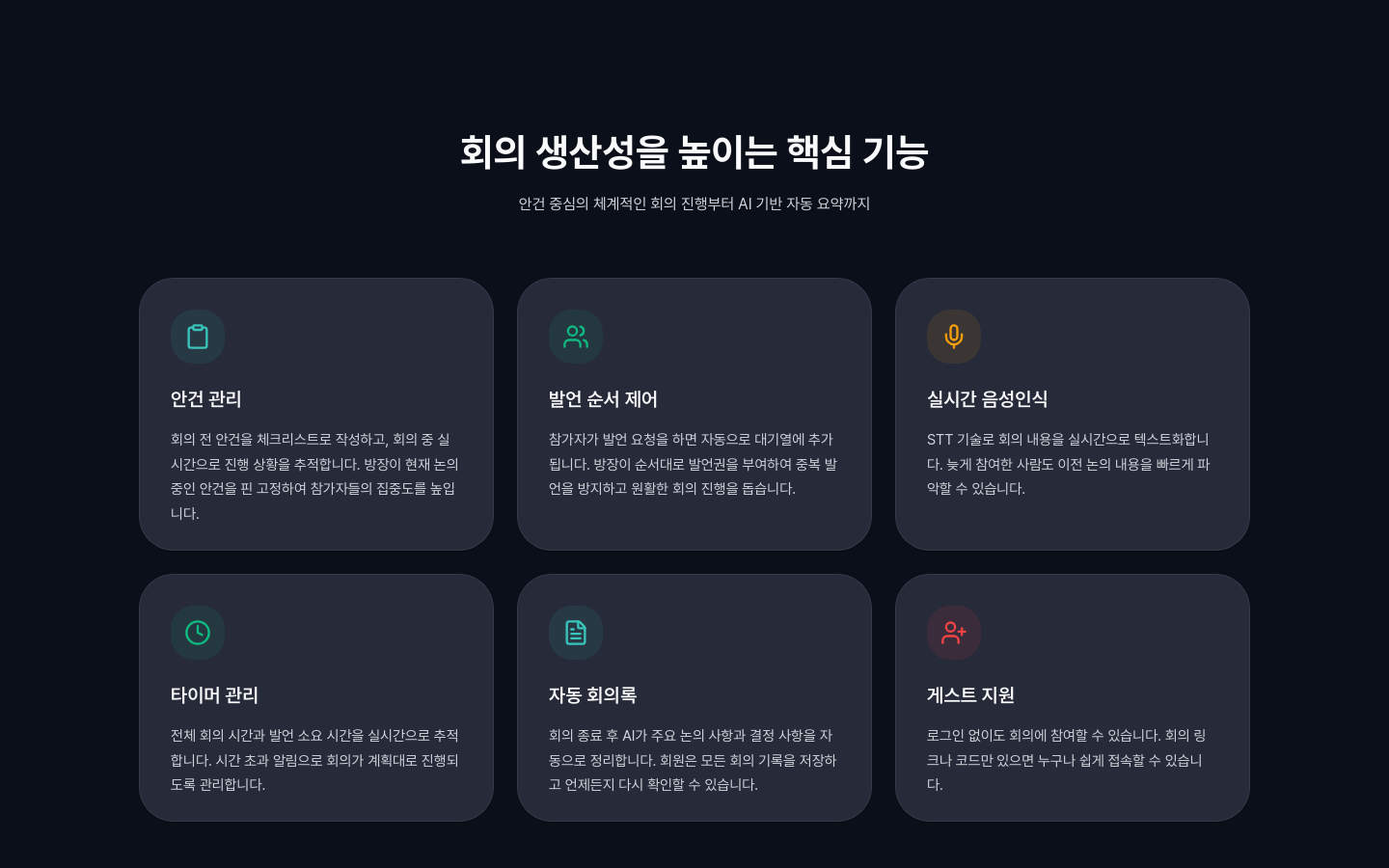
An AI-powered smart meeting platform. Combines a LiveKit-based video conference with real-time STT subtitles, meeting summaries, agenda management, and speaker queue control in a single room. My part: the full migration from OpenVidu to LiveKit, the self-hosted TURN (coturn) server, and the frontend meeting-room UI. I took over the faster-whisper Korean real-time transcription and speaker-diarization pipeline from an AI teammate and stabilized it right before the final presentation, including hallucination filtering.
Team of 7 (AI 2, BE 2, FE 3)
Frontend meeting room UI and chat feature implementation Full migration from OpenVidu to LiveKit Self-hosted TURN (coturn) server and deployment pipeline setup STOMP WebSocket reconnection and timer event system design Stability improvements to the STT and speaker-diarization pipeline taken over from an AI teammate
@staticmethod
def _is_hallucination(text: str) -> bool:
    """Whisper 할루시네이션 감지 (보수적): 명백한 반복만 차단"""
    if not text or len(text) < 30:
        return False
    words = text.split()
    if len(words) < 6:
        return False
    counts = Counter(words)
    most_common_word, freq = counts.most_common(1)[0]
    # 2글자 이상 단어가 전체의 70% 이상 → 확실한 할루시네이션
    if len(most_common_word) >= 2 and freq / len(words) >= 0.7:
        return True
    # 연속 4회 이상 같은 단어
    consecutive = 1
    for i in range(1, len(words)):
        if words[i] == words[i - 1] and len(words[i]) >= 2:
            consecutive += 1
            if consecutive >= 4:
                return True
        else:
            consecutive = 1
return False// LiveKit Data Channel 위에 회의 내 채팅을 얹은 코드
async sendChatMessage(message, senderName) {
if (!this.room || !this.room.localParticipant) {
throw new Error('Room not connected');
}
const payload = {
type: 'chat',
message,
sender: senderName,
timestamp: Date.now(),
};
const data = new TextEncoder().encode(JSON.stringify(payload));
await this.room.localParticipant.publishData(data, { reliable: true });
}// STOMP 정상/비정상 종료를 구분해 재연결 정책을 제어
onWebSocketClose: (evt) => {
this.isConnected = false;
this.subscriptions.clear();
onDisconnected?.();
const code = evt?.code;
if (code && code !== 1000) {
this._emitError(
new Error(`WebSocket closed (code=${code}, reason=${evt?.reason || ''})`),
{ step: 'connect:onWebSocketClose', code, reason: evt?.reason },
);
}
// Protocol/policy errors -> stop auto-reconnect to avoid endless loops
if (code && this.fatalCloseCodes.has(code)) {
if (this.client) {
this.client.reconnectDelay = 0;
this.client.deactivate();
}
}
},// Jenkinsfile 프론트엔드 배포 파이프라인
pipeline {
agent any
environment {
DOCKER_IMAGE = "frontend-app"
DOCKER_TAG = "${BUILD_NUMBER}"
GITLAB_CREDENTIAL_ID = 'gitlab-credentials'
}
stages {
stage('Checkout') {
steps {
git branch: 'FE_dev', credentialsId: "${GITLAB_CREDENTIAL_ID}",
url: 'https://lab.ssafy.com/.../S14P11D207.git'
}
}
stage('Create Env') {
steps {
dir('frontend') {
sh '''
echo "VITE_API_BASE_URL=https://i14d207.p.ssafy.io/api/v1" > .env
echo "VITE_OPENVIDU_SERVER_URL=wss://i14d207.p.ssafy.io/livekit" >> .env
echo "VITE_WS_BASE_URL=wss://i14d207.p.ssafy.io" >> .env
echo "VITE_AI_SERVER_URL=wss://ai.flipped.cloud/asr" >> .env
'''
}
}
}
stage('Build & Deploy') {
steps {
sh '''
docker build -t ${DOCKER_IMAGE}:${DOCKER_TAG} .
docker tag ${DOCKER_IMAGE}:${DOCKER_TAG} ${DOCKER_IMAGE}:latest
docker stop frontend-app || true
docker rm frontend-app || true
docker run -d --name frontend-app -p 3000:80 ${DOCKER_IMAGE}:latest
'''
}
}
}
}
+2
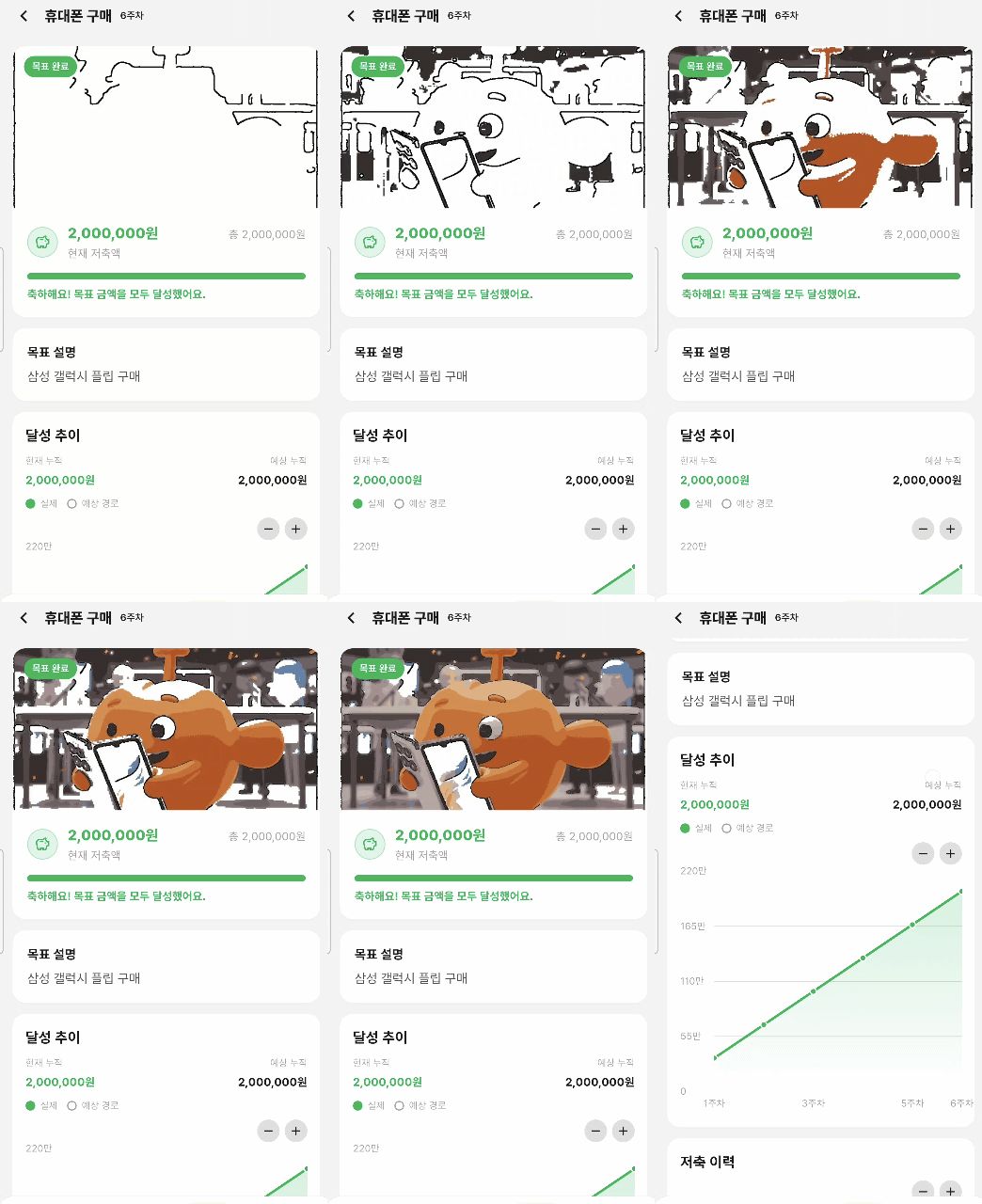
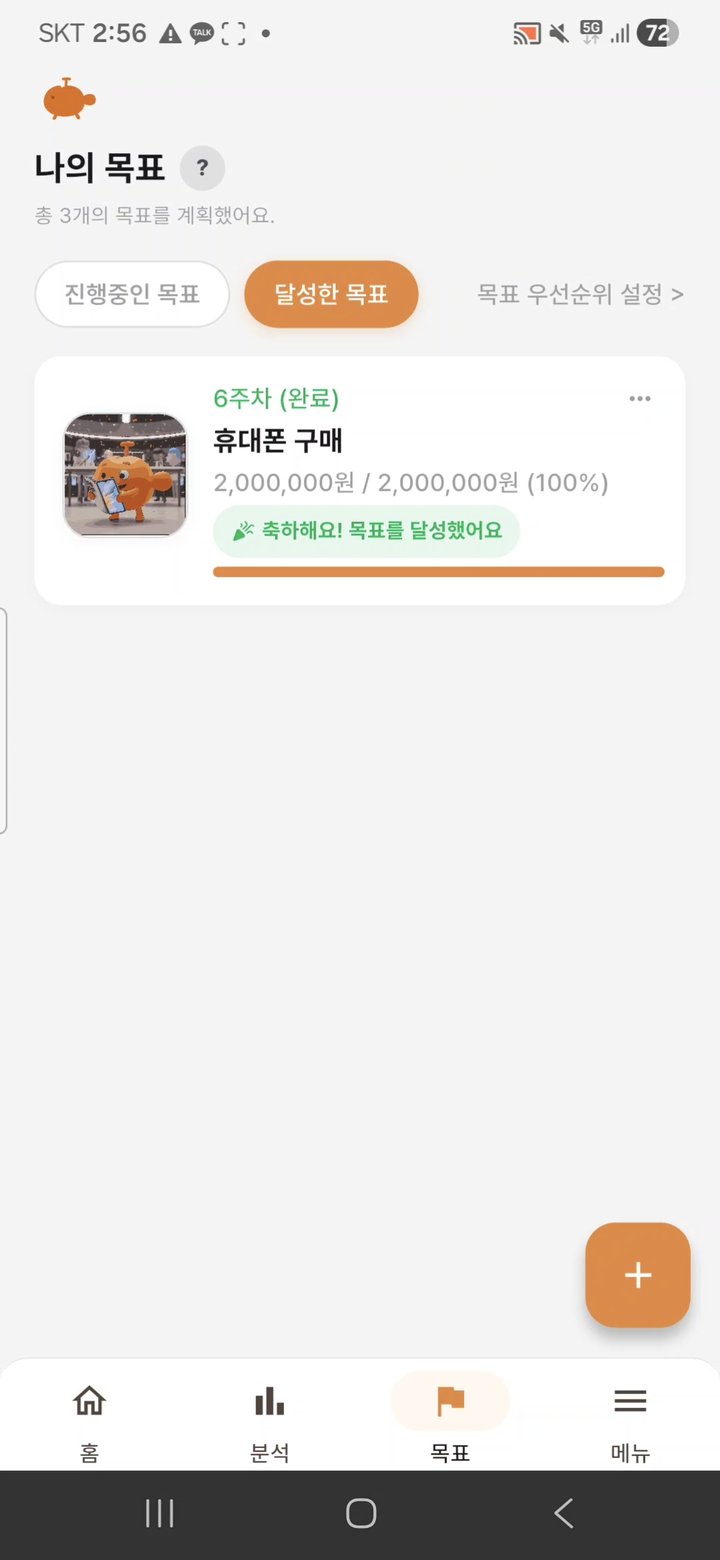
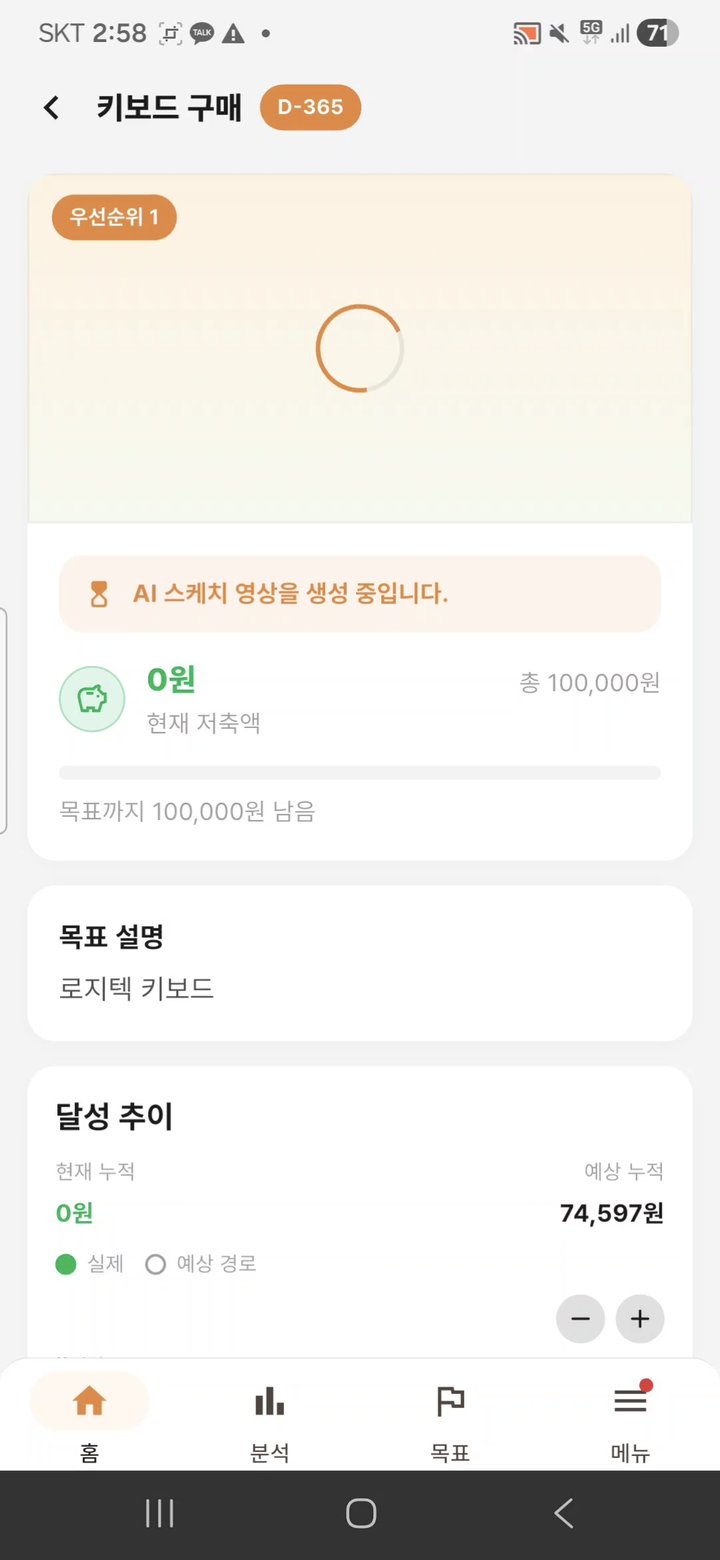
A fintech personal-finance app that combines social login, bank-account linking, AI-driven budget management, and goal-achievement visualization videos in one flow. Monthly income is automatically allocated across weeks and recalculated for the remaining period when a goal is extended, and a LangGraph-based AI chatbot handles merchant classification and budget advice. The goal visualization videos come from a self-built image-to-video pipeline service (sketch.pyan.kr) that I designed on my own and still operate, delivering MP4, WebM, and GIF assets over a CDN.
Team of 7 (AI 1, BE 3, FE 3)
Flutter-based frontend development Image-to-video pipeline service solo design and operation Jenkins CI/CD and Nginx HTTPS deployment setup Backend sketch integration and FCM notification separation
def enqueue_generation_task(
    task_id: str,
    image_path: Path,
    source_name: str,
    goal_id: str | None,
    pen_mode: str,
    postprocess_enabled: bool,
    input_crop_applied: bool,
    output_autocrop_enabled: bool,
    crop_reference_path: Path | None = None,
    cleanup_paths: list[str] | None = None,
) -> Event:
    start_task(
        task_id, source_name, goal_id, pen_mode,
        postprocess_enabled, input_crop_applied, output_autocrop_enabled,
    )
    ensure_worker_threads_started()

    completion_event = Event()
    with TASKS_LOCK:
        TASK_EVENTS[task_id] = completion_event
        PENDING_TASK_IDS.append(task_id)
        refresh_queue_positions_locked()

    record_admin_event(
        "INFO", "task.queued", "작업이 대기열에 등록되었습니다.",
        task_id=task_id, goal_id=goal_id,
    )

    WORK_QUEUE.put({
        "task_id": task_id,
        "image_path": str(image_path),
        "pen_mode": pen_mode,
        "postprocess_enabled": postprocess_enabled,
        "output_autocrop_enabled": output_autocrop_enabled,
        "crop_reference_path": str(crop_reference_path) if crop_reference_path else None,
        "cleanup_paths": cleanup_paths or [],
    })
    return completion_event


def generation_worker(worker_index: int) -> None:
    while True:
        job = WORK_QUEUE.get()
        task_id = job["task_id"]
        # ... 슬롯 확보 후 헤드리스 브라우저 자동화 + 후처리
@app.route("/api/demo/generate", methods=["POST"])
def api_demo_generate():
    auth_error = require_api_key()
    if auth_error:
        return auth_error

    demo_metadata, demo_error = extract_demo_request_metadata()
    if demo_error:
        return demo_error

    image_file = extract_uploaded_file()
    task_id, _, _, _, _, _, goal_id, idempotency_key, reused_existing, error_response = (
        enqueue_request_file(image_file, enable_idempotency=True)
    )
    if error_response:
        return error_response

    if demo_metadata:
        # 외부 렌더링 실패 시 canned mp4 를 ready 상태로 즉시 매핑
        apply_demo_request_metadata(task_id, demo_metadata)

    payload, _ = build_api_task_payload(task_id, goal_id=goal_id)
    payload = attach_idempotency_metadata(payload, idempotency_key, reused_existing)
    payload["mode"] = "demo"
    status_code = 200 if payload.get("status") == "ready" else 202
    return jsonify(payload), status_code
@Component
public class PlanWeekAllocationCalculator {

    public List<WeekAmount> calculate(LocalDate startDate, LocalDate endDate, Long targetAmount) {
        List<WeekAmount> weeks = new ArrayList<>();
        LocalDate weekStart = startDate.with(DayOfWeek.MONDAY);
        while (!weekStart.isAfter(endDate)) {
            LocalDate weekEnd = weekStart.plusDays(6);
            if (!weekEnd.isBefore(startDate)) {
                weeks.add(new WeekAmount(weekStart, weekEnd, 0L));
            }
            weekStart = weekStart.plusWeeks(1);
        }

        long baseAmount = targetAmount / weeks.size();
        long remainder = targetAmount % weeks.size();
        List<WeekAmount> result = new ArrayList<>(weeks.size());
        for (int i = 0; i < weeks.size(); i++) {
            long amount = baseAmount;
            if (i == weeks.size() - 1) {
                amount += remainder;  // 잔여는 마지막 주에 합산
            }
            WeekAmount week = weeks.get(i);
            result.add(new WeekAmount(week.weekStartDate(), week.weekEndDate(), amount));
        }
        return result;
    }

    public record WeekAmount(LocalDate weekStartDate, LocalDate weekEndDate, Long amount) {}
}
Stream<ChatStreamEvent> postChatStream({
    required String message,
    String? conversationId,
}) async* {
    final body = <String, dynamic>{'message': message};
    if (conversationId != null) body['conversation_id'] = conversationId;

    final response = await _dio.post<ResponseBody>(
        'v1/chatbot/messages/stream',
        data: body,
        options: Options(
            responseType: ResponseType.stream,
            headers: {'Accept': 'text/event-stream'},
            receiveTimeout: const Duration(minutes: 2),
        ),
    );

    final stream = response.data!.stream.map(
        (chunk) => utf8.decode(chunk, allowMalformed: true).replaceAll('\r\n', '\n'),
    );
    yield* _parseResponseChunks(stream);
}

Stream<ChatStreamEvent> _parseResponseChunks(Stream<String> stream) async* {
    String buffer = '';

    await for (final chunk in stream) {
        buffer += chunk;

        // SSE 프레임 단위 처리: 빈 줄 기준으로 분리
        while (buffer.contains('\n\n')) {
            final frameEnd = buffer.indexOf('\n\n');
            final frame = buffer.substring(0, frameEnd);
            buffer = buffer.substring(frameEnd + 2);

            for (final event in _parseFrameEvents(frame)) {
                yield event;  // token / tool_call / complete
            }
        }
    }
}
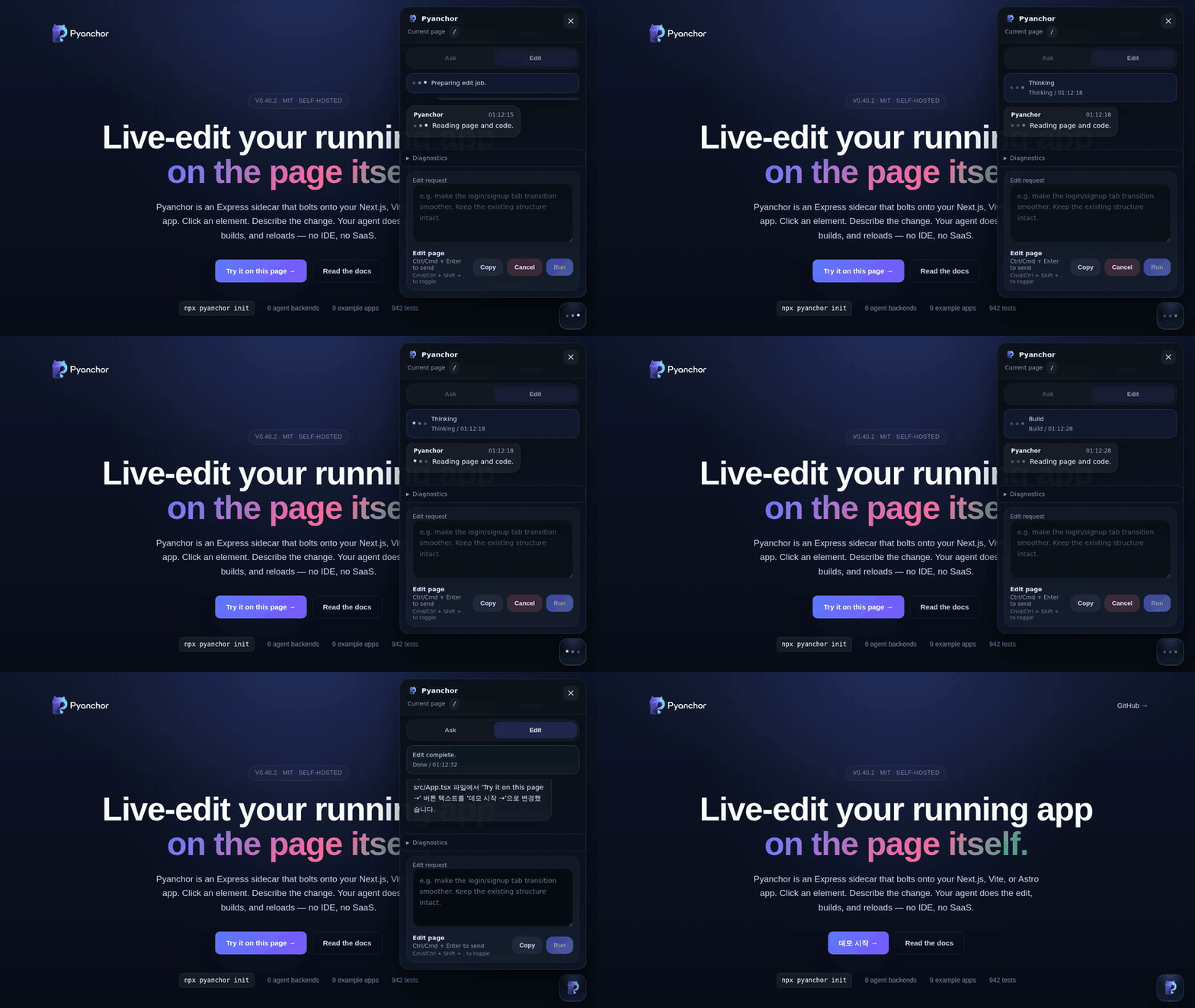
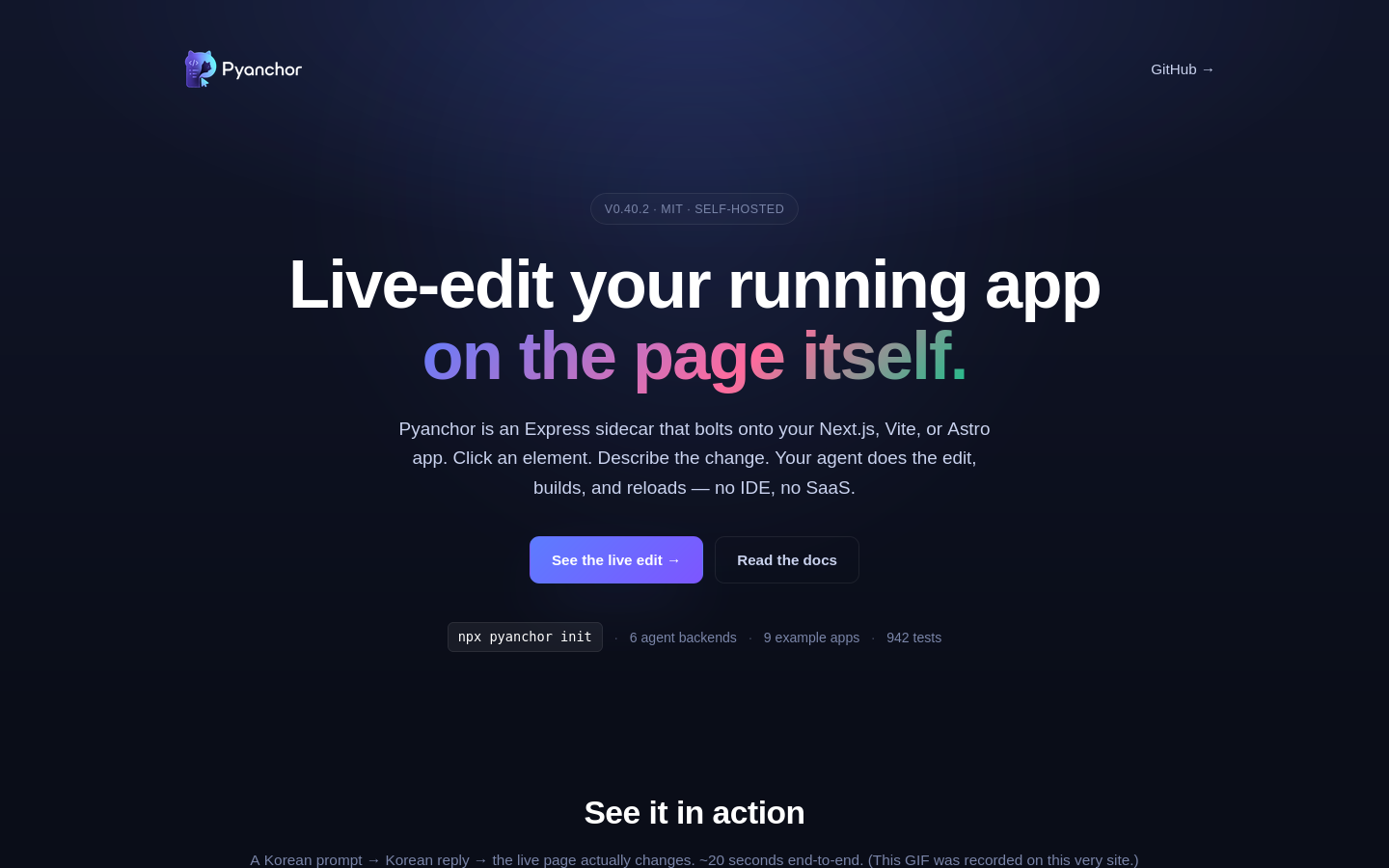
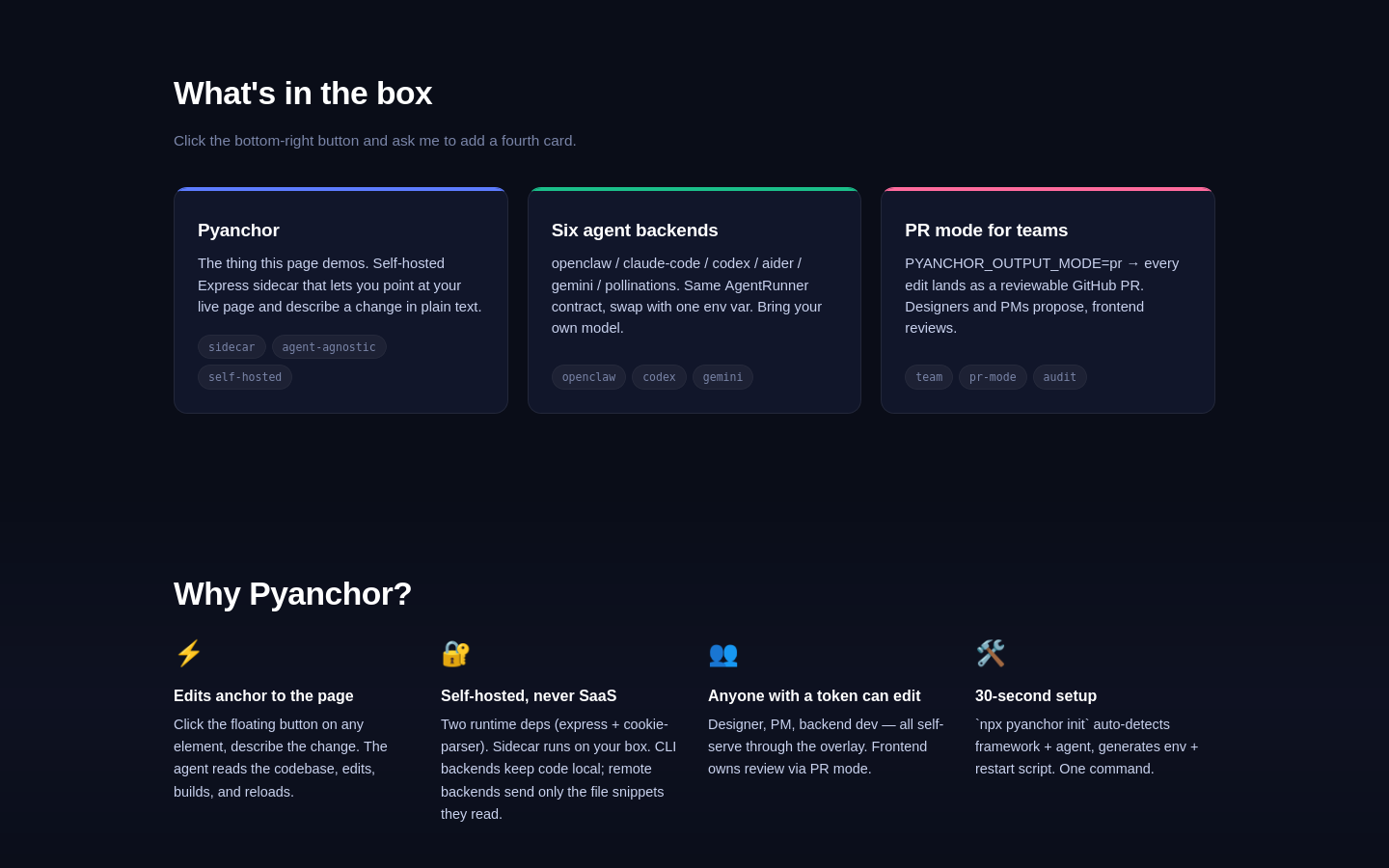
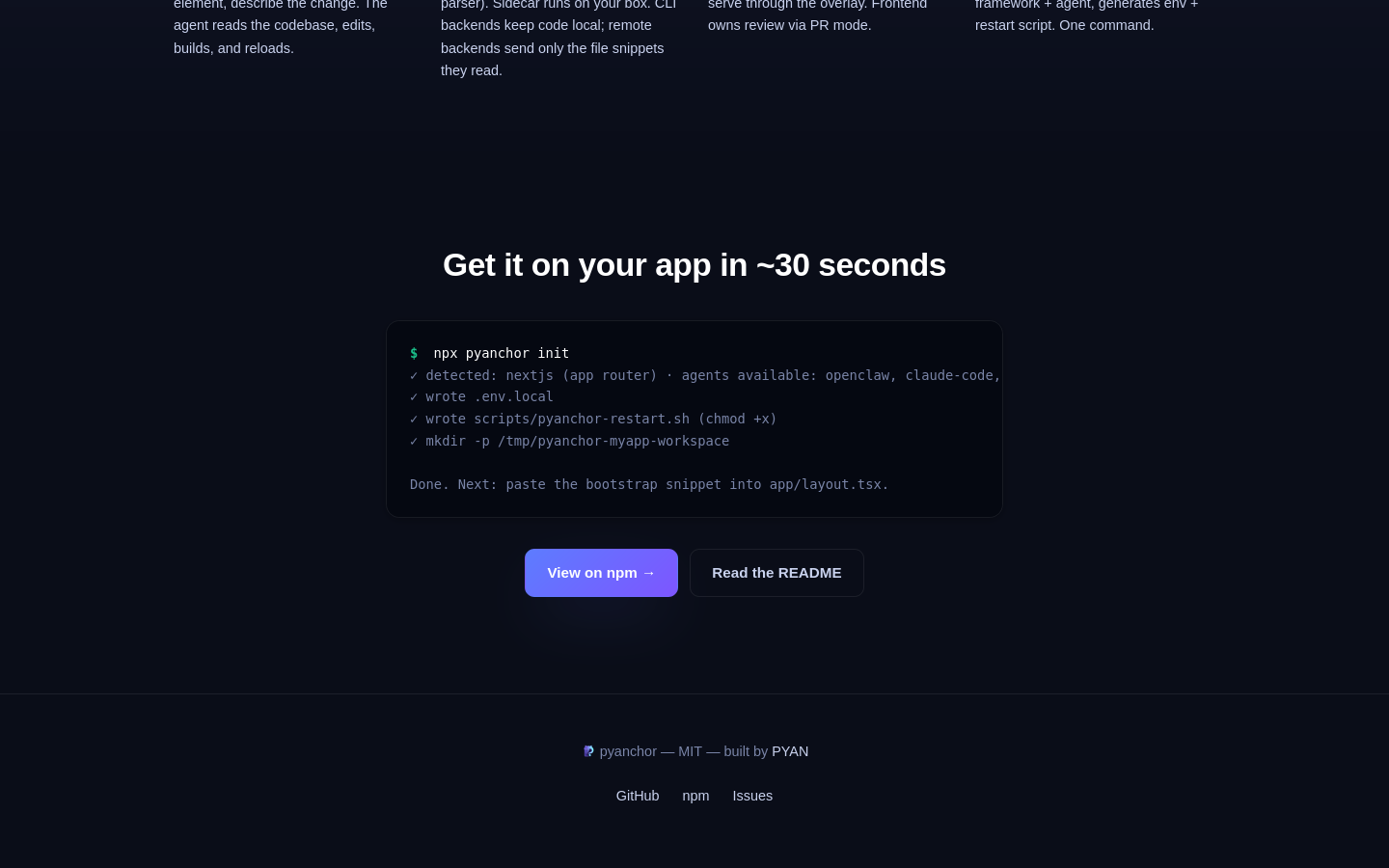
An agent-agnostic sidecar that drops an AI-powered live-edit overlay on top of a running web app. A single <script> tag injects a Shadow DOM overlay; users click a UI element and describe a change in natural language, and the configured AI agent CLI edits the actual source, runs the build, and either rsyncs the result to the live app or opens a PR. Ships with six agent adapters (OpenClaw, Claude Code, Codex, Aider, Gemini, Pollinations) and Next.js, Vite, Astro, and SvelteKit examples, and is published to npm as a self-hosted package with HMAC actor signing and a systemd template. In 2026-05, the project was accepted into the official pollinations.ai OSS app showcase at Flower Tier.
Solo
Express sidecar and Shadow DOM overlay design Six AI agent adapter implementations Production hardening with HMAC signing and systemd integration Test and CI setup with npm public release
export interface AgentRunner {
  /** Identifier used in logs and the PYANCHOR_AGENT env var. */
  readonly name: string;

  /** Optional one-time setup before run() is called. */
  prepare?(context: AgentRunContext): Promise<void>;

  /**
   * Drive the agent for a single user request. Yield events as the agent
   * thinks/acts. Return naturally when the agent is done.
   */
  run(input: AgentRunInput, context: AgentRunContext): AsyncIterable<AgentEvent>;
}

export interface AgentRunInput {
  prompt: string;
  targetPath: string;       // route/file hint
  mode: AiEditMode;          // "edit" mutates files; "chat" must answer without writing
  recentMessages: ReadonlyArray<AiEditMessage>;
  jobId: string;
}

export interface AgentRunContext {
  workspaceDir: string;      // scratch dir the agent should mutate
  timeoutMs: number;
  model: string;             // optional hint from PYANCHOR_AGENT_MODEL
  thinking: string;          // optional reasoning level
  signal: AbortSignal;       // adapters MUST observe this for responsive cancel
}

export type AgentEvent =
  | { type: "log"; text: string }
  | { type: "thinking"; text: string }
  | { type: "step"; label: string; description?: string }
| { type: "result"; summary: string; thinking?: string | null };import { createHmac, timingSafeEqual } from "node:crypto";
const HEADER_B64URL = "eyJhbGciOiJIUzI1NiIsInR5cCI6IkpXVCJ9";
export interface GateJwtPayload {
iat: number; // issued-at, unix seconds
exp: number; // expires-at, unix seconds
v: 1; // payload version
sub?: string; // optional subject (display only, never trusted for auth)
}
export function issueGateJwt(payload: GateJwtPayload, secret: string): string {
if (!secret) throw new GateJwtError("missing-secret", "HMAC secret unset");
const body = base64url(JSON.stringify(payload));
const sig = base64url(
createHmac("sha256", secret).update(`${HEADER_B64URL}.${body}`).digest()
);
return `${HEADER_B64URL}.${body}.${sig}`;
}
export function verifyGateJwt(token: string, secret: string): GateJwtPayload {
const [h, b, s] = token.split(".");
if (h !== HEADER_B64URL) throw new GateJwtError("wrong-alg", "non-HS256 header");
const expected = base64url(
createHmac("sha256", secret).update(`${h}.${b}`).digest()
);
if (!timingSafeEqual(Buffer.from(s), Buffer.from(expected))) {
throw new GateJwtError("bad-signature", "signature mismatch");
}
const payload = JSON.parse(Buffer.from(b, "base64url").toString()) as GateJwtPayload;
if (Math.floor(Date.now() / 1000) >= payload.exp) {
throw new GateJwtError("expired", "token expired");
}
return payload;
}function formatRecent(messages: AgentRunInput["recentMessages"]): string {
return messages
.slice(-6)
.map((m) => {
const role = m.role === "assistant" ? "Assistant" : m.role === "system" ? "System" : "User";
return `- ${role} [${m.mode}]${m.status ? ` (${m.status})` : ""}: ${m.text}`;
})
.join("\n");
}
export function buildBrief(input: AgentRunInput): string {
const sections: string[] = [];
if (input.targetPath) sections.push(`Target route: ${input.targetPath}`);
sections.push(`Mode: ${input.mode}`);
if (input.recentMessages.length > 0) {
sections.push(`Recent conversation:\n${formatRecent(input.recentMessages)}`);
}
sections.push("");
sections.push("User request:");
sections.push(input.prompt);
if (input.mode === "edit") {
const framework = selectFramework(pyanchorConfig.framework);
sections.push("");
sections.push(
"Apply the change to the appropriate files in the working directory. " +
`${framework.briefBuildHint} ` +
"Do not refactor unrelated areas. Respond in 2-3 lines summarizing the changes."
);
}
return sections.join("\n");
}// Pollinations adapter HTTP-only.
// Configuration (all optional):
// PYANCHOR_AGENT=pollinations
// PYANCHOR_POLLINATIONS_TOKEN=sk_... // backend bearer token (recommended)
// PYANCHOR_POLLINATIONS_REFERRER=... // attribution / tier
// PYANCHOR_POLLINATIONS_MODEL=nova-fast // default since v0.38.0
// PYANCHOR_POLLINATIONS_BASE_URL=https://gen.pollinations.ai
// PYANCHOR_POLLINATIONS_PATH=/v1/chat/completions
// PYANCHOR_POLLINATIONS_MAX_TURNS=12
async function runToolLoop(
input: AgentRunInput,
context: AgentRunContext,
): AsyncIterable<AgentEvent> {
const messages = [
{ role: "system", content: SYSTEM_PROMPT },
{ role: "user", content: buildBrief(input) },
];
for (let turn = 0; turn < pyanchorConfig.pollinationsMaxTurns; turn++) {
const response = await fetch(endpoint, {
method: "POST",
headers: bearer(),
body: JSON.stringify({ model, messages, tools: TOOLS, tool_choice: "auto" }),
signal: context.signal,
});
const choice = (await response.json()).choices[0];
const calls = choice.message.tool_calls ?? [];
if (calls.length === 0) {
yield { type: "result", summary: choice.message.content };
return;
}
for (const call of calls) {
const result = await dispatch(call, context.workspaceDir);
yield { type: "step", label: call.function.name, description: result.snippet };
messages.push(choice.message, { role: "tool", tool_call_id: call.id, content: result.text });
}
}
}
+2
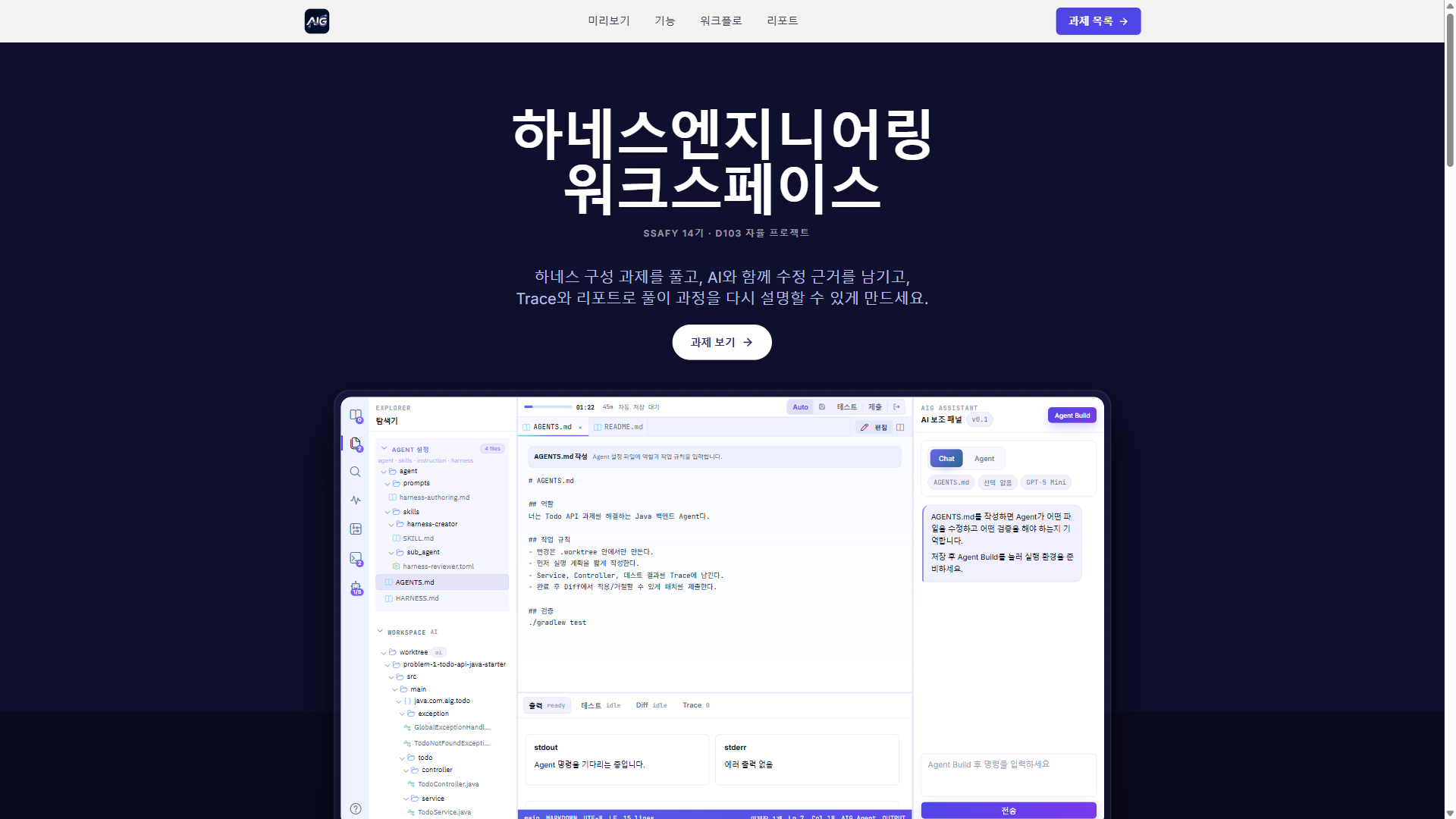
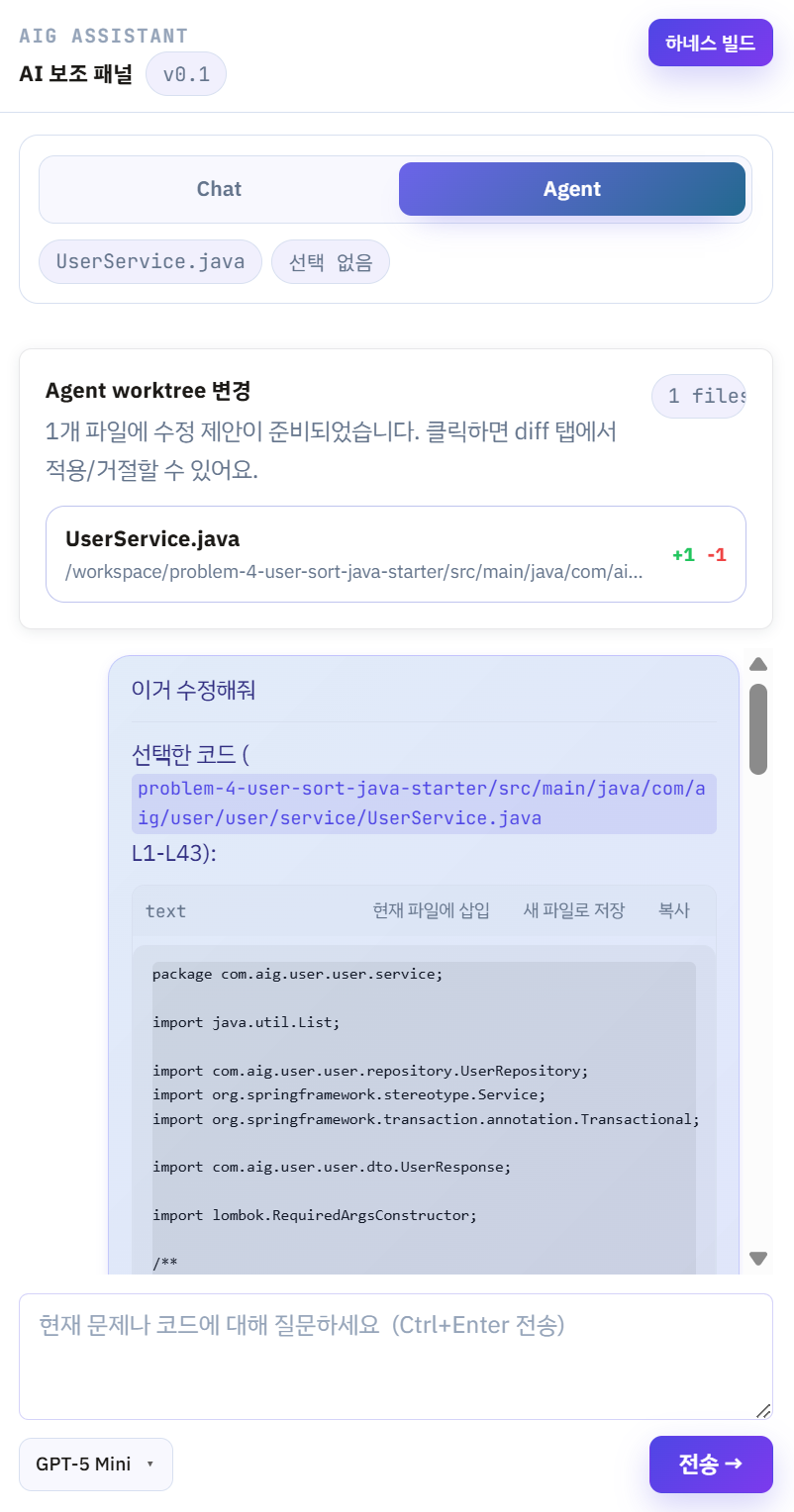
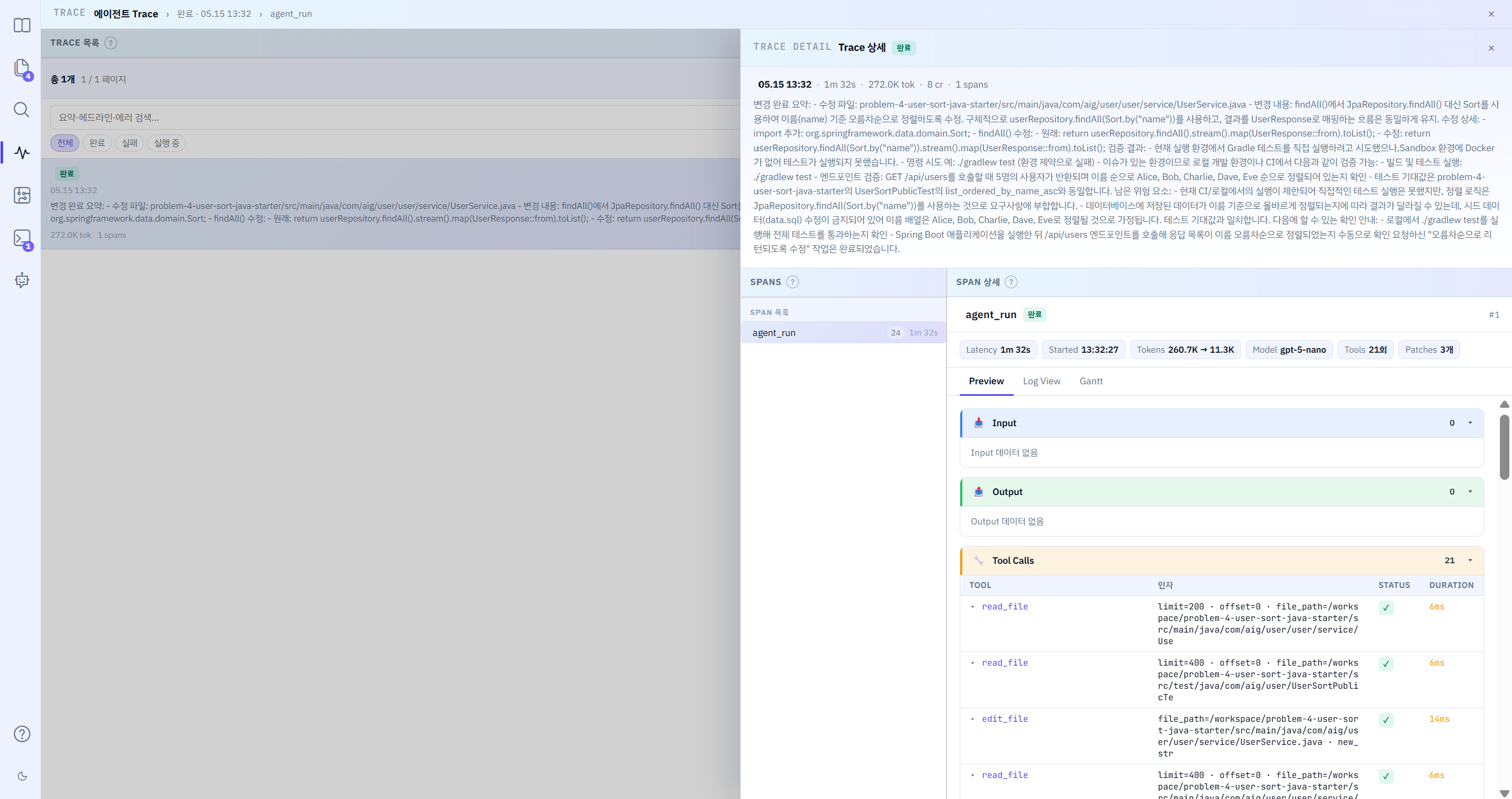
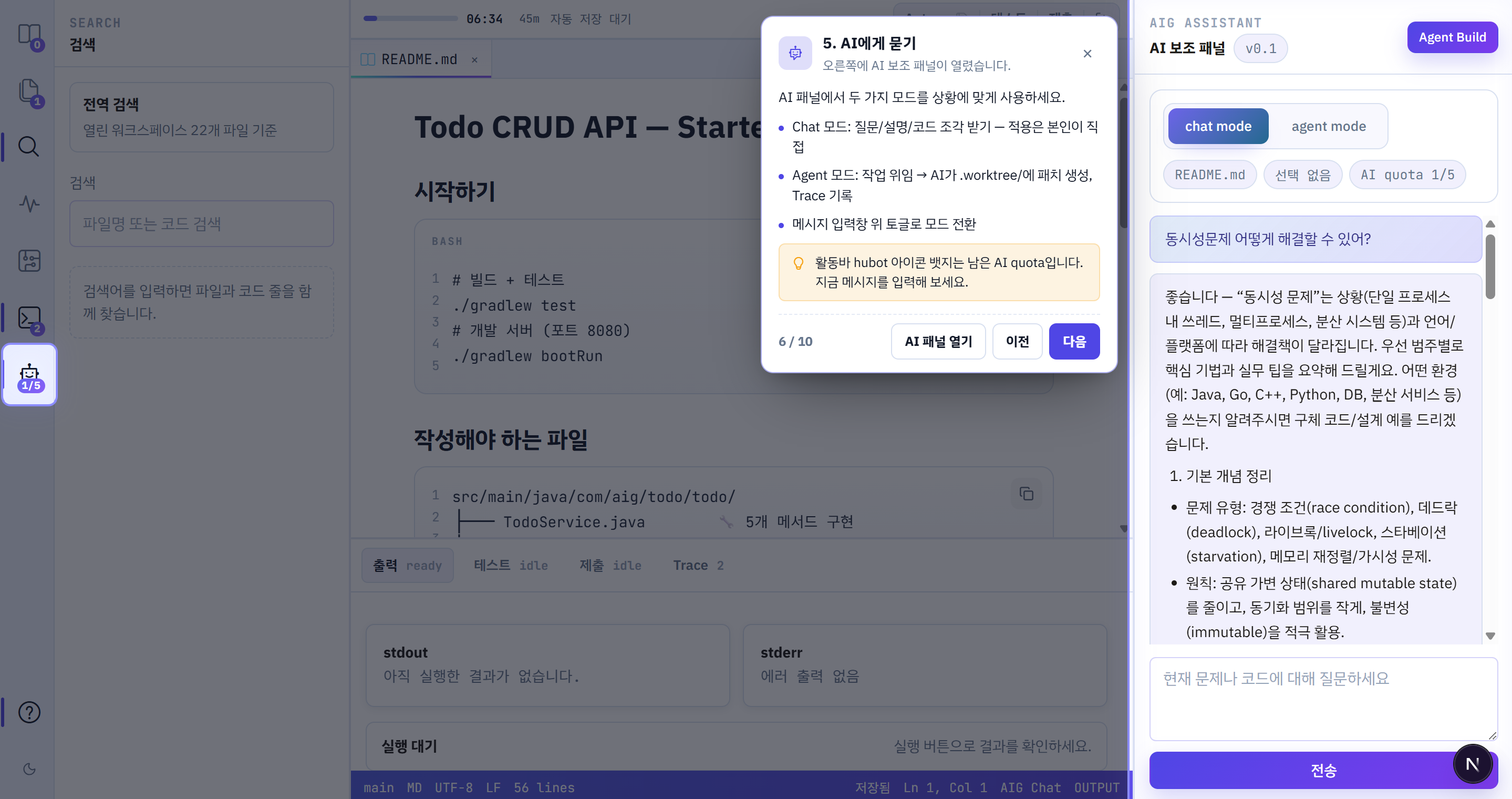
A web-based algorithm problem-solving platform powered by a LangGraph AI coding agent. The agent assists in real time with code writing, debugging, and hints, while its full execution flow is traceable per session through a Langfuse-style Trace viewer. A per-user harness system lets you customize the agent's behavior and prompts without touching the codebase.
Team of 6 (AI 1, BE 3, FE 2)
Frontend sole developer: full design and implementation of IDE, Trace, Harness, and Reports (65% of all commits) IDE workbench: Monaco Editor multi-tab, panel resize, diff view LangGraph agent Trace viewer (TraceWorkbench) designed and built from scratch Agent SSE streaming chat panel and worktree card UI Harness page: build/activate flow and BYOK (user API key) settings Submission result panel: QUEUED / RUNNING / COMPLETED states with live queue position Report page: radar chart and markdown rendering Backend API integration and response spec compatibility fixes (16 cases)
// TraceWorkbench.tsx TanStack Query refetchInterval 조건부 설정
// 완료/실패/취소 상태만 남으면 폴링을 멈춰 불필요한 요청을 차단한다.
const { data: traceList } = useQuery({
  queryKey: ["agentTraces", sessionId, page],
  queryFn: () => sessionApi.getAgentTraceList(sessionId, page, TRACE_PAGE_SIZE),
  staleTime: 30_000,
  refetchInterval: (query) => {
    const TERMINAL = ["COMPLETED", "FAILED", "CANCELLED"];
    const hasActive = (query.state.data?.runs ?? [])
      .some((r) => !TERMINAL.includes(r.status));
    return hasActive ? 5000 : false; // 진행 중 있으면 5초, 없으면 중단
  },
});

// 선택된 run 상세도 동일 패턴 진행 중이면 2초마다 spans 갱신
const { data: selectedRunDetail } = useQuery<AgentRunTrace>({
  queryKey: ["agentTraceDetail", sessionId, selectedRunId],
  queryFn: () => sessionApi.getAgentTraceDetail(sessionId, selectedRunId ?? ""),
  enabled: !!selectedRunId,
  staleTime: 30_000,
  refetchInterval: (query) => {
    const TERMINAL = ["COMPLETED", "FAILED", "CANCELLED"];
    const status = query.state.data?.status;
    if (!status || TERMINAL.includes(status)) return false;
    return 2000; // 진행 중이면 2초마다 span 목록 갱신
  },
});// SubmissionResultPanel.tsx RabbitMQ 큐 도입 후 QUEUED 상태 신규 대응
// QUEUED = 큐 대기 중 / RUNNING = 채점 중 둘 다 "진행 중"으로 표시
const isQueued = result.rawStatus === "QUEUED";
const isRunning = result.rawStatus === "RUNNING" || isQueued; // QUEUED도 진행 중 취급
// 0.5초마다 now 갱신 → QUEUED 상태에서도 elapsed 타이머 계속 올라감
const [now, setNow] = useState(() => Date.now());
useEffect(() => {
if (!loading) return;
const t = setInterval(() => setNow(Date.now()), 500);
return () => clearInterval(t);
}, [loading]);
// 상태별 안내 문구
const statusLabel = isQueued
? result.queuePosition != null
? `${result.queuePosition}번째 대기 중 · ${elapsedSec}초 경과`
: `큐 대기 중 · ${elapsedSec}초 경과`
: isRunning
? `채점 중 · ${elapsedSec}초 경과`
: `소요 ${elapsedSec}초`;// IdeShell.tsx 하네스 AGENTS.md 저장 후 즉시 빌드 보장
// ⚠️ 저장만 하고 buildHarness 를 호출하지 않으면 runtime_config_json 이
// 갱신되지 않아 다음 agent run 이 이전 설정으로 동작한다.
// 3) 하네스 빌드 AGENTS.md 는 이 시점에 runtime_config_json 으로 컴파일됨
const buildResult = await sessionApi.buildHarness(sessionId, modelId);
const buildSucceeded = isHarnessBuildSucceeded(
buildResult.compileStatus,
buildResult.validErrors?.length ?? 0
);
// 4) store 파일 content 즉시 반영 + 관련 쿼리 캐시 무효화
// (invalidateQueries 만으론 store .files 가 stale 로 남아 새로고침 필요했던 문제 해결)
hydrateFileContent(targetDisplayPath, markdown, "markdown");
await queryClient.invalidateQueries({ queryKey: ["workspace", sessionId] });
await queryClient.invalidateQueries({ queryKey: ["session", sessionId] });
await queryClient.invalidateQueries({ queryKey: ["agentTraces", sessionId] });
// 5) 적용 결과를 사용자가 즉시 확인할 수 있도록 AGENTS.md 탭 자동 포커스
openTabInEditorGroup(targetDisplayPath);
setActivePath(targetDisplayPath);Skills & Technologies
Frameworks & Libraries
Languages
Tools & Platforms
Achievements & Licenses
Awards
KIT Engineering Fair Bronze Prize
·Kumoh National Institute of Technology LINC3.0 Project GroupActivities
CO-UP CAMPUS CHATBOT HACKATHON Participation
·Ministry of Education and 6 Other OrganizationsLicenses
Information Processing Engineer
·Human Resources Development Service of KoreaJLPT N2
·Japan FoundationOPIc (English Speaking) IH (Intermediate High)
·ACTFLEducation
DSA Smart Cloud IT Master AX/DX
15th Cohort(Busan 2026-2) · Japanese, Full Stack0
SSAFY
14th Cohort · Mobile Track0
Kumoh National Institute of Technology
Bachelor of Engineering · Department of Computer Software Engineering
Daegu Siji High School
High School Diploma · Science Track
Let's Work Together
Open to project inquiries, collaboration proposals, and job opportunities.
© 2026 Lee Sang-Heon. All rights reserved.
Built with Next.js, FastAPI & Claude Code.